Segment Best Practices
Last updated: October 29, 2025
Vector segments help you turn raw contact data into targeted, usable audiences. Here’s how to set up segments that scale and perform.
1. Keep It Simple (Less Is Best)
Start with an account list (you can add multiple).
Add title and/or seniority filters to line up with your ICP.
Avoid layering in department, industry, or company size too early—it shrinks audiences fast.
Start broad → narrow later to cut noise.
Don’t forget: Add your customer list as an account list so you can exclude them from ad campaigns (unless you’re running retention or upsell plays).
Next Steps: Navigate to Settings > Account Lists to update! Guide here.
2. Build Signal-Driven Audiences (Static CSV or Dynamic Contact Audience)
Trigger: Static CSV or Dynamic Contact Audience
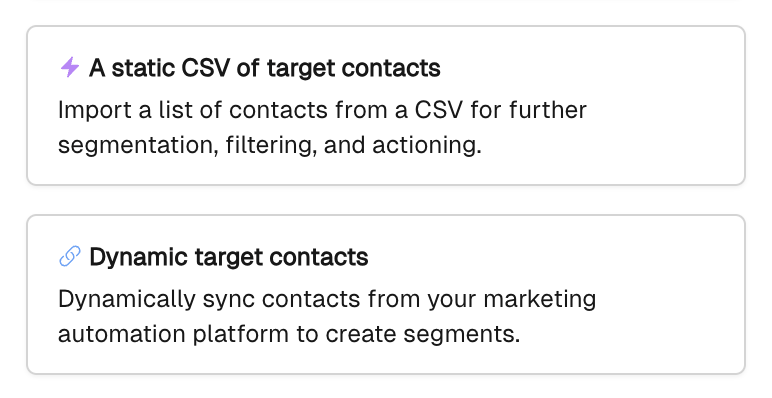
Great starting point for new customers → “I’ve got a list of contacts I want to get ads in front of.”
Common use cases:
Prospect lists for brand awareness.
Contacts in early sales stages where ads help alongside SDR outreach.
Stalled or ghosting opportunities where light-touch ads keep you top of mind.
Best practice:
Start with ICP + account lists.
Create a mirror audience excluding account lists to uncover net-new ICP contacts.
Client Story: UserGems uses job change signals to trigger ads to champions in new roles. Scrappy ABM ran a head-to-head test and saw 40% more contacts with Vector audiences vs. a previous vendor.
Next Steps: Navigate to New Segment > CSV or Dynamic target contacts > add filters.
3. Capture Ad Engagement with Ad Reveal
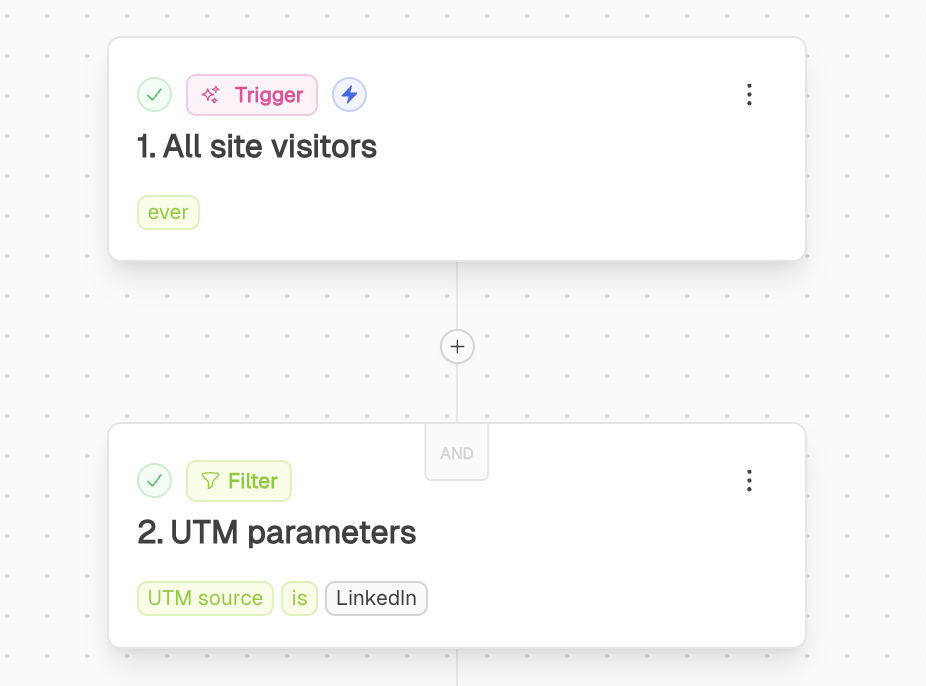
Trigger: Website Traffic → filter by UTM parameters
Essential for visibility → it’s not enough to know IBM clicked your ad; you need to know which person engaged (e.g., Director of Software Engineering clicked Campaign X on Date Y).
Segment by ad source (LinkedIn, Google, Meta, etc.) or campaign name to get more nuanced insight.
Pair with ICP/account list filters to separate:
Known opportunities (Tier 1–3, SMB–Enterprise).
Net-new ICP contacts not yet in CRM.
Client Story: Goldcast de-anonymizes ad clicks on registration pages; if someone doesn’t fill out the form, they still become part of a retargeting audience inside Vector.
Next Step: Navigate to New Segment > Trigger - Website Traffic > Filter by UTM Parameters
4. Test and Iterate
Start broad, then tighten filters as you learn.
Compare campaign-specific vs source-level engagement.
Retire segments that underperform or stop delivering signal.
👉 Where to start if you’re brand new:
Upload a Static CSV or connect a Dynamic Contact Audience. This gets you quick wins with existing contact lists.
Enable Ad Reveal to see who is clicking on your ads—not just which account.
Add your customer list as an exclusion account list so your ads focus on prospects (unless you’re running customer retention/expansion campaigns).
Explore more advanced plays in our Playbooks page.