Play: Build Brand Awareness with Priority Accounts Before an Opportunity
Last updated: September 15, 2026
For priority accounts that don't yet have an active opportunity, use Vector to build a LinkedIn audience and serve educational, brand-awareness content.
The goal is simple: introduce your brand and point of view before buyers enter an active sales cycle.
Why This Play Works
Not every account is ready for a sales conversation.
Awareness campaigns give relevant buyers a chance to become familiar with your:
Brand
Point of view
Problem framing
Product category
Then, as additional engagement appears, Vector can help you understand how activity across the account is changing.
Prerequisites
Before getting started, you'll need:
Tracked accounts identified in Vector
LinkedIn connected to Vector
Contacts or personas you want to reach
Awareness-focused creative
A consistent UTM structure for campaign reporting
Good awareness assets include:
Educational articles
Industry research
Short videos
Guides and explainers
Thought-leadership content
For this stage, keep the content useful and relatively low-friction rather than immediately pushing for a demo.
1. Build Your Audience in Vector
Start by identifying the accounts you want to include. Use the Data source of "Integration contact & lead lists and reports" if the contact list is stemming from your CRM. Use "CSV contact list" if it's a CSV upload.
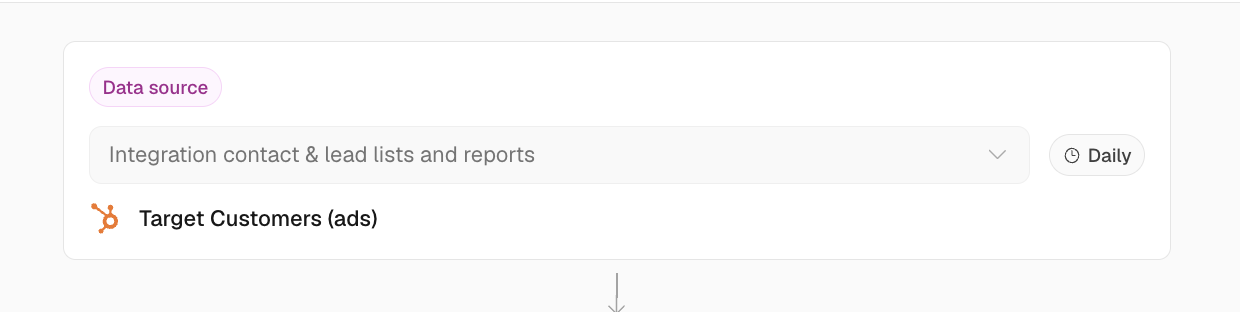
A common approach is to focus on:
Priority accounts you're actively tracking
Accounts without an open opportunity
Relevant contacts that match your ICP or buying personas
Then create a Segment containing the contacts you want to reach.
Where helpful, use Segment filters such as:
Tracked Account
Account Stage
ICP criteria
Job title or seniority
Industry
Geography
💡 Tip: Keep the audience broad enough to reach multiple relevant people within an account rather than targeting only one potential buyer.
2. Sync the Segment to LinkedIn
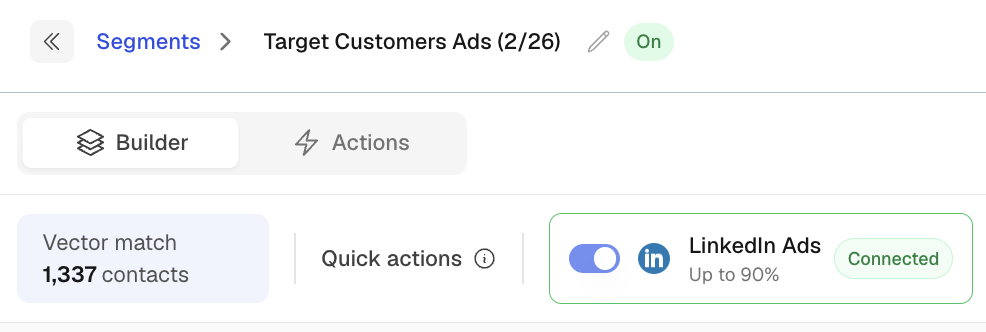
Within your Segment, add LinkedIn audience action.
Once the audience has synced, select it in LinkedIn Campaign Manager and use it for your awareness campaign.
Allow enough time for LinkedIn to process and populate the matched audience before launching.
3. Run Awareness-Focused Creative
At this stage, focus on helping buyers understand the problem and your perspective on it.
Examples include:
Problem framing: “3 hidden costs of manual workflows”
Industry insights: Research, benchmarks, or trends
Educational content: Guides or explainers
Thought leadership: A strong point of view on a problem your buyers care about
Avoid making every ad a direct demo request. The goal is familiarity and engagement first.
Use consistent UTMs so campaign traffic can be measured in Vector.
4. Measure Campaign Engagement
Use Campaign Reporting to understand how the campaign itself is performing.
You can review metrics such as:
Impressions
Clicks
Identified visitors
ICP visitors
Cost
Cost per ICP visit
Learn more about Campaign Reporting →
This helps answer:
Are the right people engaging with this campaign?
5. Watch for Account-Level Movement
Campaign engagement is only one piece of the picture.
For accounts you're tracking, use Account Journeys to understand the broader activity Vector is seeing across the account.
That may include website, advertising, marketing, research, CRM, and other enabled signals.
Use this alongside Account Stage to identify when an account begins showing stronger buying activity.
Learn more about Account Journeys →
What to Look For
You don't need a single arbitrary engagement score to determine when an account is ready.
Instead, look for combinations of meaningful activity, such as:
Multiple people from the account engaging
Repeat website visits
Visits to higher-intent pages
Research activity
Ad engagement
Movement in Account Stage
The stronger the combination of signals, the more context your team has for deciding whether to increase advertising, introduce sales outreach, or move the account into a different play.
Creative Checklist
For an awareness campaign:
Ads: Clear, visual, and focused on one idea
Content: Educational and useful
Landing pages: Closely aligned with the ad
CTA: Low-friction and appropriate for an early-stage audience
UTMs: Consistent so campaign traffic can be identified
Troubleshooting
The LinkedIn audience is too small
Consider expanding beyond a narrow set of job titles and reaching additional relevant people within your priority accounts.
Engagement is low
Test different messages, formats, and problem statements. Early-stage buyers may respond better to useful insights than product-heavy creative.
People are clicking but not continuing to engage
Make sure the landing-page experience matches the promise of the ad and gives the visitor a logical next step.
Campaign Reporting answers:
How did this campaign perform?
Quick Setup Summary
Identify priority accounts without an active opportunity
Build a Segment of relevant contacts
Sync the audience to LinkedIn
Run educational awareness ads
Measure campaign performance in Campaign Reporting
Watch Account Journeys and Account Stage for broader buying activity