Play: Surround-Sound Messaging for Open Opps
Last updated: September 12, 2025
TL;DR
For contacts at target accounts with open opportunities and the right buying titles, sync them into ad audiences to reinforce outbound messaging. Sales’ emails + your ads = consistent, surround-sound messaging that accelerates consensus and velocity.
Why this works:
Consistency wins trust: Buyers see the same story across inbox and feed.
Accelerates decisions: Reinforces urgency and solution fit at the bottom of the funnel.
Boosts sales velocity: Multiple touches from different channels drive faster consensus across buying groups.
Pre-requisites
Vector connected to your CRM and ad platforms (like LinkedIn/Google).
CRM list of contacts with:
Opportunity Stage = Open.
Title/Seniority = Decision-maker roles (e.g., Director, VP, C-Level).
Creative assets tailored for BOFU: ROI calculators, case studies, product comparisons.
UTM tracking for attribution.
Step-by-Step in Vector
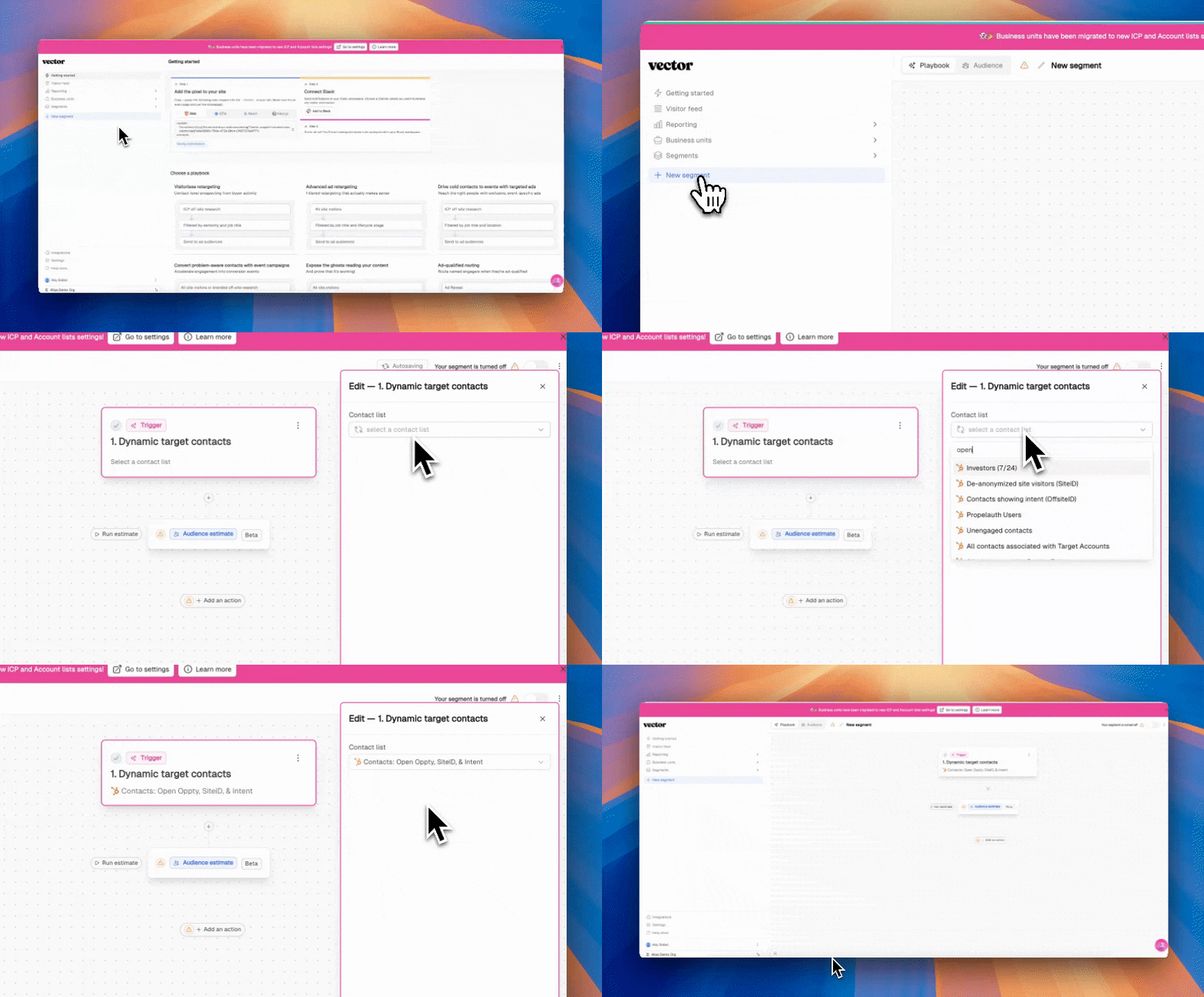
Create Your Segment
Go to Segments → New Segment.
Trigger: Dynamic contact list.
Source: CRM list of active opps.
Filters: Add job title/seniority filter (Director+) - we recommend doing this in CRM.
Naming: ActiveOpps | BOFU | RightTitles.
Activate as Ad Audience
Actions → Add Action → LinkedIn (or Google).
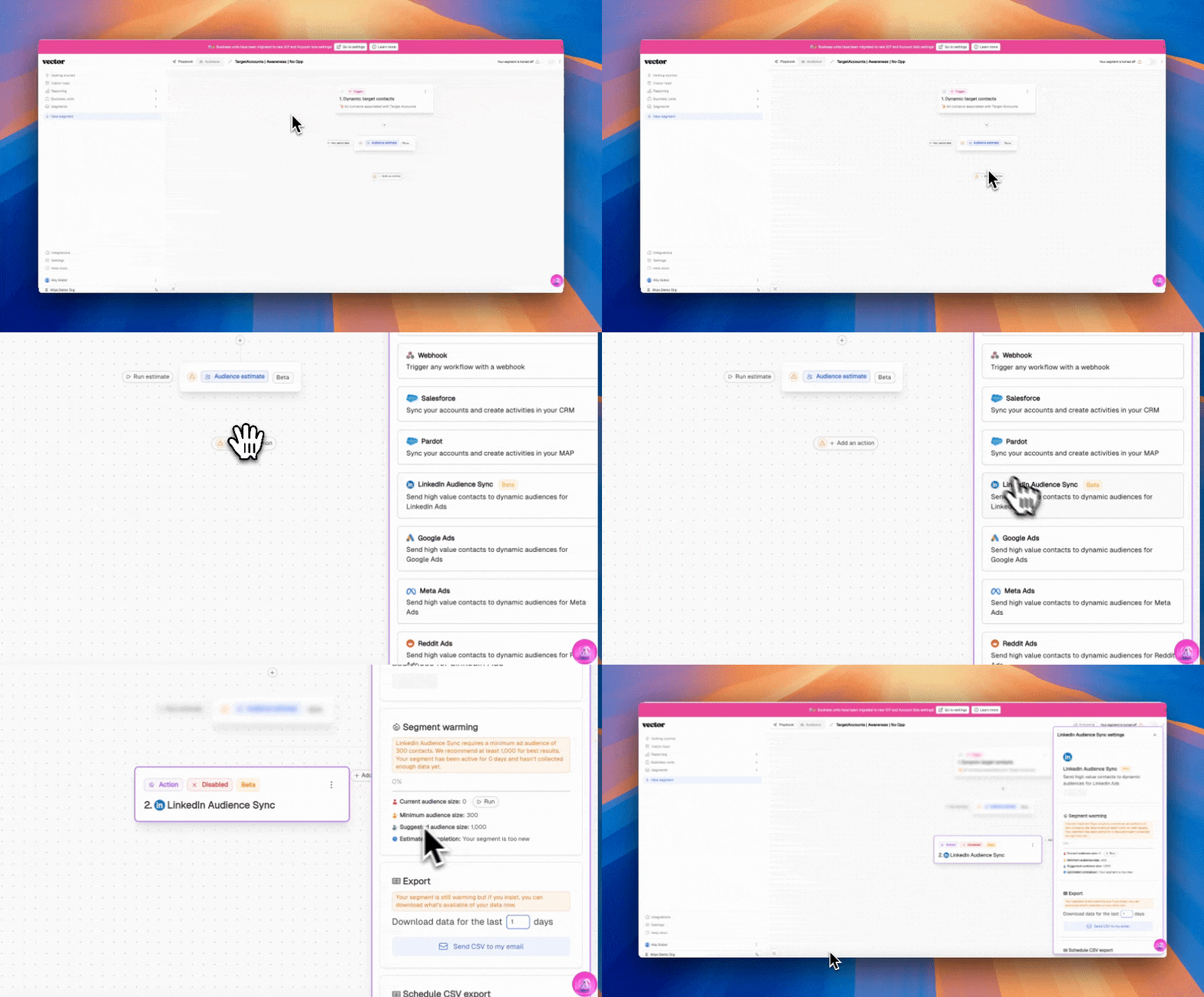
Sync to audience (allow up to 48 hours).
Run BOFU Ads
Creative focus:
Case study ads (“See how we helped X company cut costs 30%”).
ROI calculator or comparison chart.
Customer testimonial video.
Keep creative aligned with outbound email content.
Track Engagement
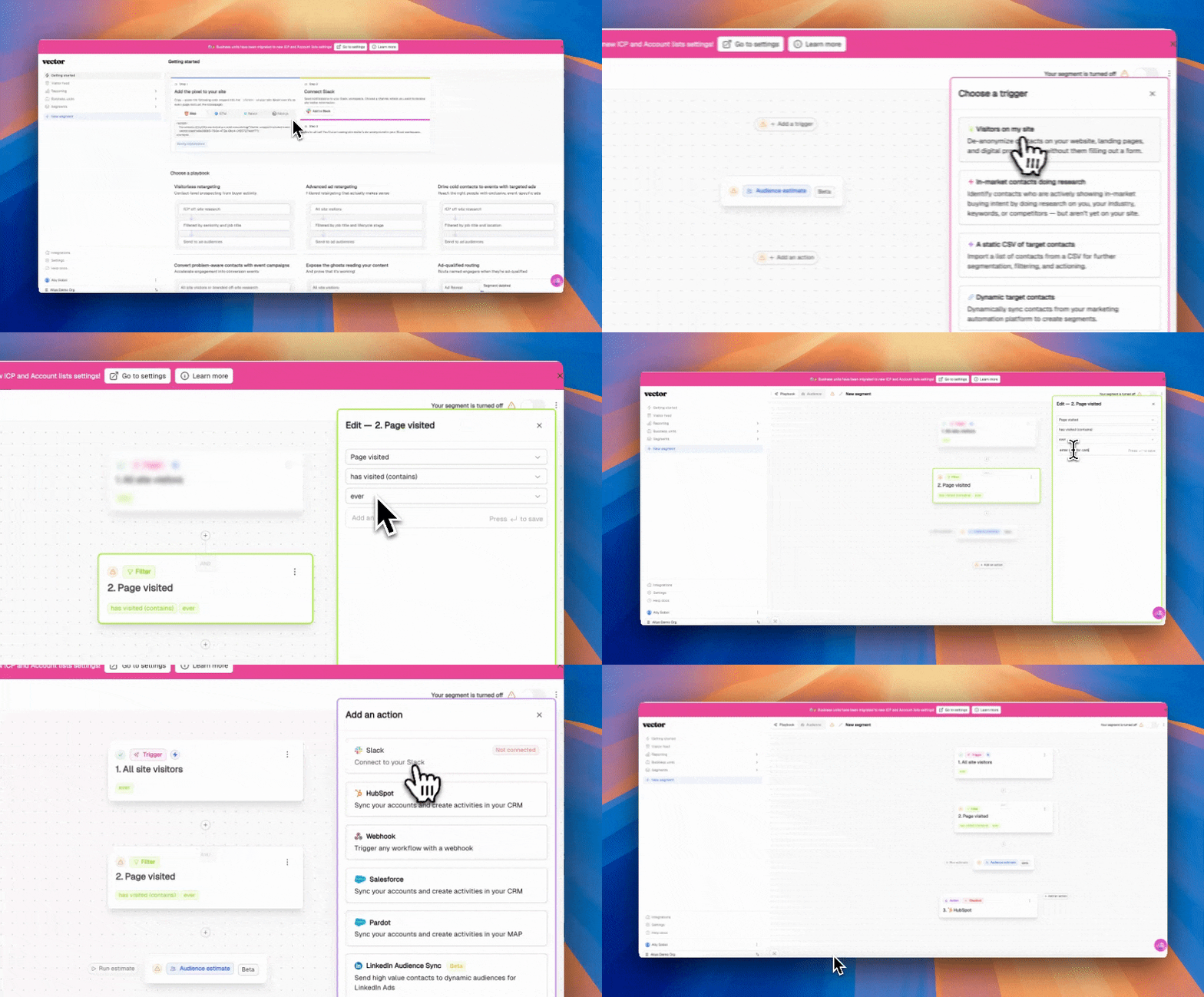
In Vector, create a new segment to track clicks
Go to Segments → New Segment.
Trigger: Website Visits
Filter: Page visited equals (insert URL of case study page or site you’re pushing the ad to)
Action: Send to CRM or Slack for sales to action
Recommended Scoring
+15: Pricing/demo page visit.
+20: Engaged with ROI/case study asset.
+25: Multiple BOFU touches within 14 days.
Handoff Trigger: ≥ 30 points → sales notified to accelerate opp.
Creative & Asset Checklist
Case studies with hard metrics.
ROI/benchmark calculators.
Comparison grids vs competitors.
Demo invitation ads.
KPI Guardrails
Track in Vector + Ad Platform:
CTR on BOFU assets.
Influence on deal velocity (time to close).
% of opportunities with multiple engaged contacts.
Win rates of opps with surround-sound vs without
Need help setting this segment up or want to chat through more best practices? Reach out to solutions@vector.co - we're glad to help!