The New Visitor Feed (Beta)
Last updated: October 26, 2025
⚠ Beta Notice
The Visitor Feed is currently in beta release. That means you may notice changes as we continue to refine the experience and add new functionality. We’d love your feedback—please share any thoughts or issues with the Vector team so we can make improvements at solutions@vector.co.
Visitor Feed Overview
The Visitor Feed is a new way to see all the contacts engaging with your website through Vector. It helps you quickly identify who is visiting, how they arrived (paid or organic), and whether they fit your Ideal Customer Profile (ICP).
Accessing the Visitor Feed
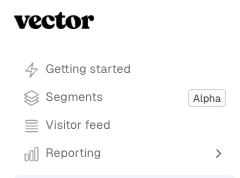
Navigate to the New Visitor Feed tab on the left panel to view all contacts coming to your website.
⛔ ️Not seeing any data in this screen? Make sure the Vector pixel is properly added to your site by following these instructions!
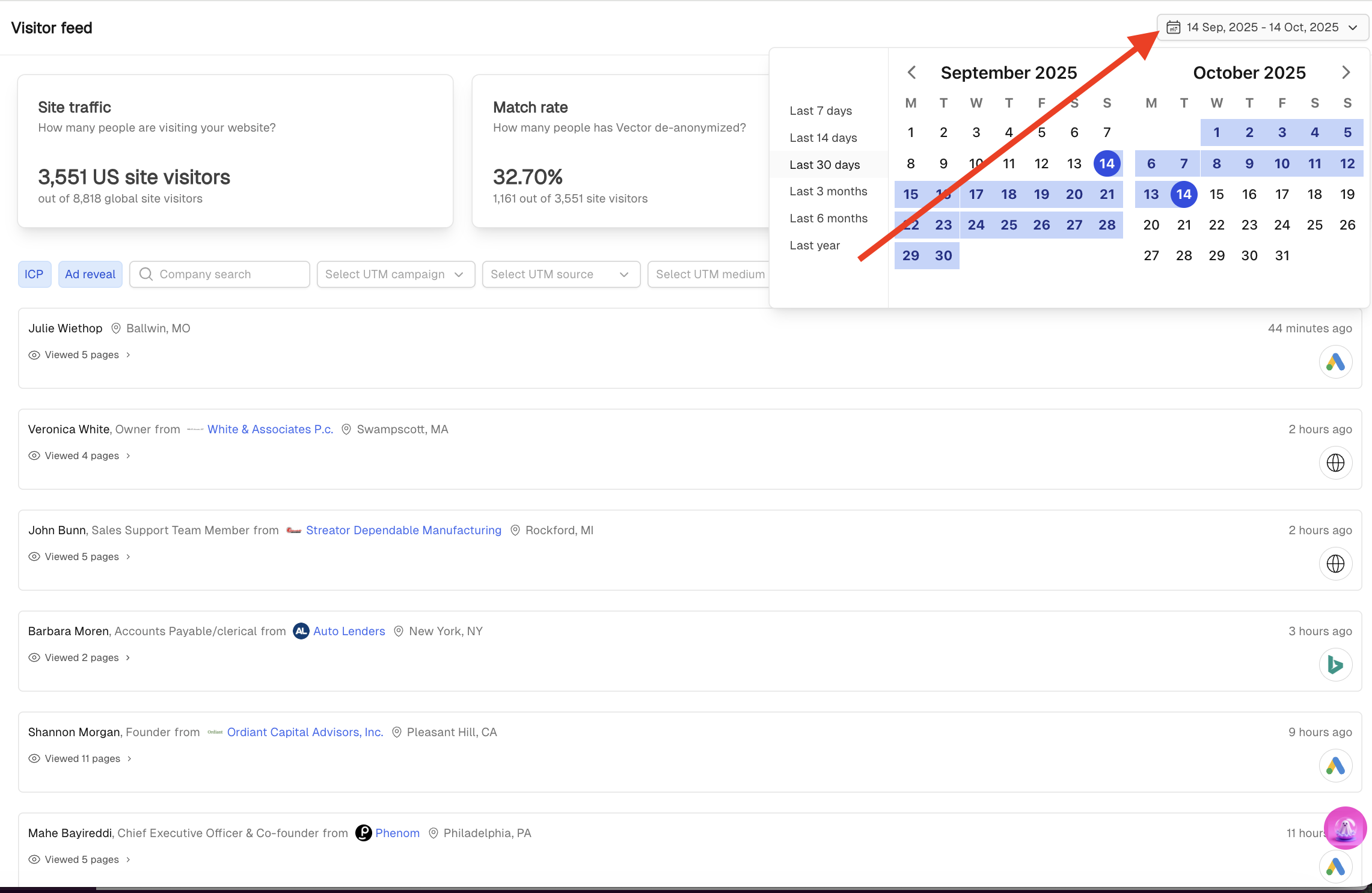
At the top right, adjust the time frame to filter visits by:
Last 7 days
Last 14 days
Last 30 days (default)
Last 3 months, 6 months, or 1 year
A Tour Around
At the top right, you'll see the time frame to filter visits by:
Last 7 days
Last 14 days
Last 30 days (default)
Last 3 months, 6 months, or 1 year
🗒 The date picker controls the time window for the data displayed. Even if you scroll, no additional data will appear outside the selected date range—update the date picker to view more.
Site traffic
How many total people are visiting your website in the timeframe selected? This could include international traffic and repeat visitors.

Match Rate
This percentage of total website visitors Vector is able to de-anonymize into known contacts.
🛑 Remember, Vector only de-anonymizes 10 - 30% of your US traffic. This number might look lower if your US traffic is a percentage of your overall traffic.

ICP Match
Of the matched contacts, the number that fit your defined ICP.
🚫 Not seeing contacts? Navigate to Settings > Ideal Customer Profile (ICP) to define your criteria!

Filtering your view
Beneath the metrics, you can see the list of individual contacts visiting your site. Additional filters help you zero in on the most relevant activity:
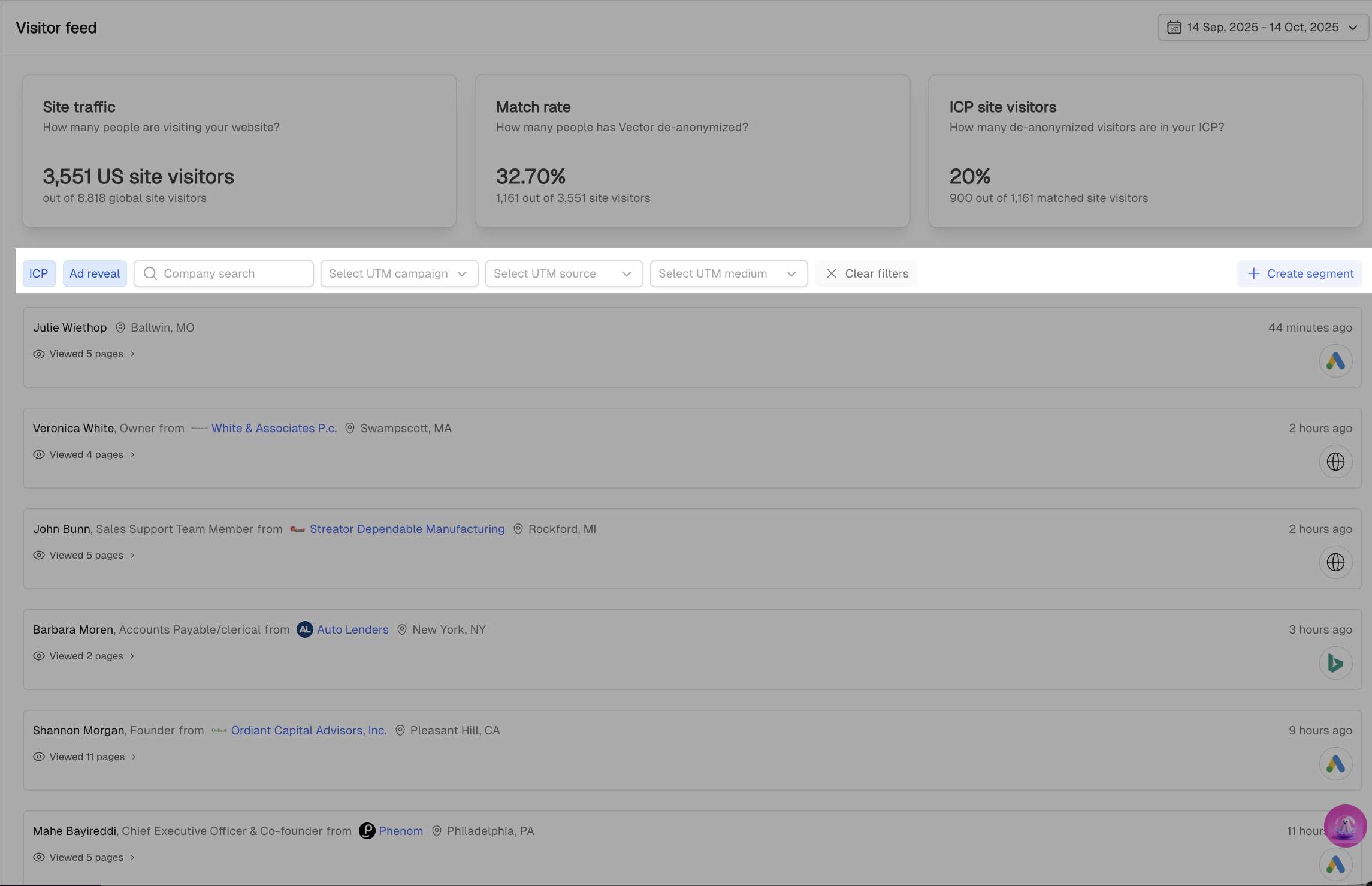
ICP filter – only show contacts that fit your ICP.
Repeat visitors – highlight contacts who have returned to your site multiple times.
Page views – expand a contact record to see the exact web pages visited.
Ad-Engaged filter: Displays contacts who visited your site as a result of a paid campaign.
Campaigns, Sources, and Mediums: Use dropdown menus to filter by specific marketing campaigns or traffic sources.
Company Search: Enter a company name to check if any of their contacts have visited your website.
✅ Tip: Use filters together (e.g., ICP + Ad-Engaged + Repeat Visitors) to uncover your highest-value prospects.
More about the contacts
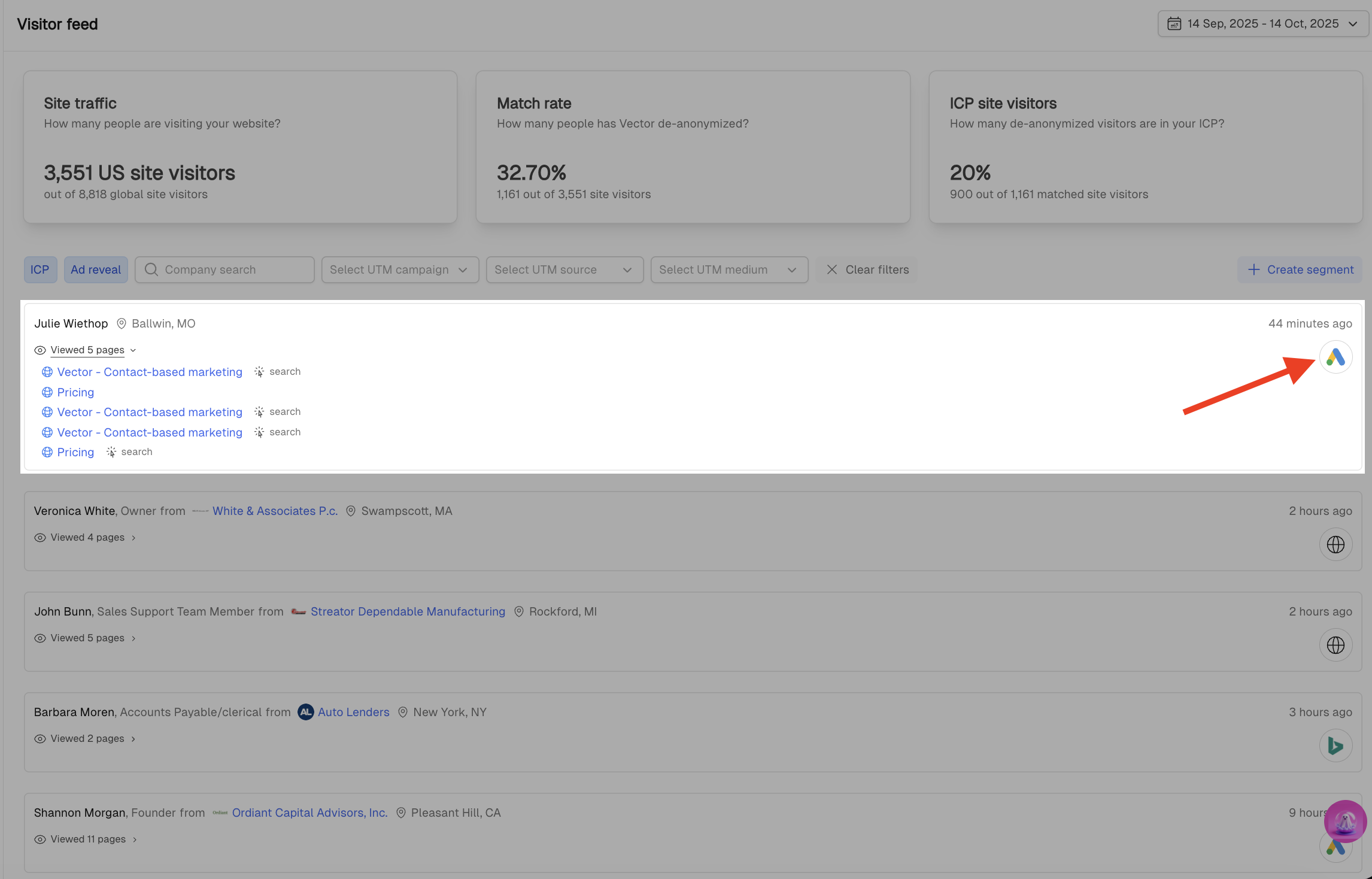
Traffic Source Logos – Quickly see how each contact arrived on your site with visual source indicators (e.g. Google Ads, Organic Search, Direct, Social).
Contact Details – View enriched contact information to understand who is engaging with your brand.
Page Visit History – Expand any contact record to see a full timeline of pages they viewed, helping you identify buying intent and topic interest.
Why It Matters
The Visitor Feed makes it simple to:
Track ICP visitors and repeat engagement.
Attribute website visits back to campaigns.
Understand how paid traffic is performing.
Quickly spot the right people to follow up with.
Frequently Asked Questions
Is the Visitor Feed real-time?
Not fully real-time, but near real-time. The Visitor Feed refreshes approximately every 15 minutes. You may see a slight delay from the moment someone visits your site to when they appear in the feed.
Why do timestamps look delayed?
Timestamps reflect the actual time of the visit, even if they display in the feed up to ~15 minutes later during the refresh cycle.
Why don’t my numbers match my segments?
This is expected. The Visitor Feed updates every ~15 minutes, while segments sync hourly–every 2 hours depending on volume. That means there may be timing differences between what you see in the feed vs. current segment membership.
Why are my numbers different from Google Analytics (GA)?
Great question—this is very common. A few reasons:
GA often fires under analytics/functional cookie consent.
Vector’s pixel is usually classified as optional/marketing in CMP tools.
If a visitor declines cookies or uses a privacy blocker, GA may fire when Vector doesn’t—or vice-versa depending on setup.
✅ Use Vector’s top summary cards as a sanity check—not a 1:1 comparison to GA.
Where did “Ad Reveal” go?
It now lives inside the Visitor Feed experience. Use the Ad filter to view visitors who arrived from paid ads (Google, LinkedIn, Meta, etc.).
My ICP count shows an error—what does that mean?
You may still need to complete ICP setup:
Add Target Titles and/or Target Accounts to your ICP settings.
In some cases, current behavior temporarily expects both inputs. A fix is coming to support either/or.
Can I use this to replace Google Analytics?
No. Vector is built to help with contact-level visibility and intent, not full web analytics. Continue using GA for traffic analytics—but rely on Vector to understand WHO is actually visiting.
Questions on how to get the most out of the new visitor feed? Reach out to us! Solutions@vector.co