Building Your Ideal Customer Profile (ICP)
Last updated: April 22, 2026
Think of your ICP as your North Star: the people you actually want to be doing business with. By defining your ICP inside Vector, you can filter by the right visitors, ad clicks, and signals rise to the top — without all the extra noise.
Why ICP Matters
Instead of chasing everyone who clicks on your paid ads, or wanders onto your site, you’re zeroing in on buyers who look like your best customers (or the ones you’d love to land).
A well-set ICP helps you:
Prioritize which accounts get flagged as “hot”
Build campaigns that resonate with the people who matter most
Best part? It’s a global setting — so anytime you update your ICP settings, any segment using that filter will automatically update too. No more editing a dozen segments just to tweak your top titles!
Step 1: Define Your Buyer Personas
Inside Vector, head to Settings > Ideal Customer Profile > Define your Buyer Personas.
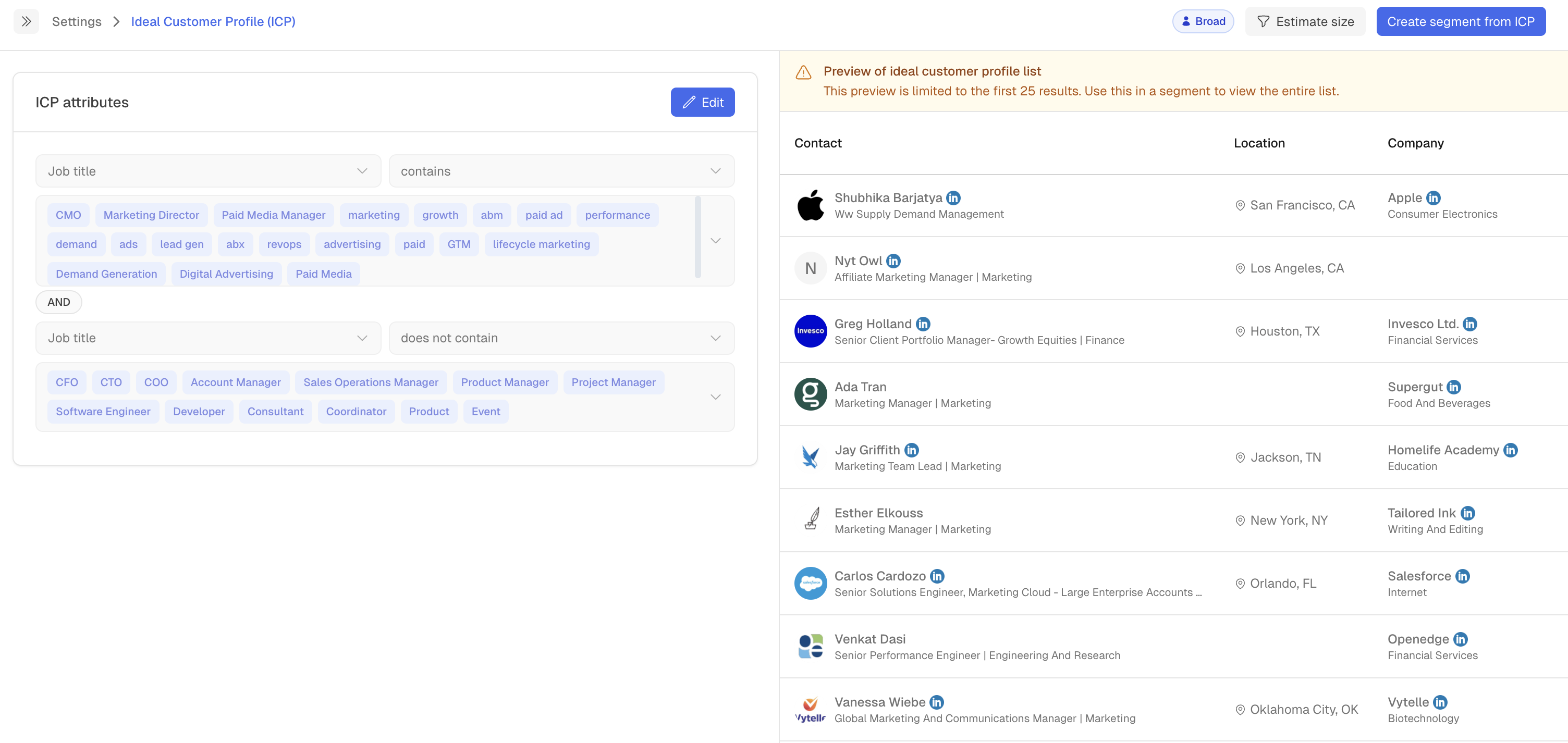
Common filters to start with:
Job title contains: e.g., “VP,” “Head of Marketing,” or “Director”
Job title does not contain: e.g., “Intern,” “Assistant,” if you don’t want them included
Seniority: C-suite, Director, Manager, etc.
👉 Pro tip: Start broader! It’s tempting to get super specific right away, but we recommend starting with a wider net. You can always tighten your filters as you learn more about what works.
Step 2: Set Up Your Target Accounts (Optional)
This step is optional, but if you're running an ABM program it will be super helpful!
Buyer personas are about people. Target accounts are about the companies they work at.

Click into Target Accounts > Edit to refine your list. Here’s what happens:
You’ll see your target accounts pulled from your Account Lists in Settings.
You can decide which accounts should be marked as “target” (aka: your dream customers).
If you don’t already have an account list, you’ll be prompted to create one.
When you set target accounts, Vector can also read in helpful CRM data, like:
Account owner (who on your team owns the relationship)
Deal stage (are they still a prospect, in pipeline, or closed won?)
Account stage (where they sit in your customer journey)
This makes it easier to filter and route activity to the right team member.
💡 Tip — Don’t see the right account list?
If you aren’t seeing the account list you want in the ICP Settings, look just below the Target Account List section for the prompt that says “Don’t see your list? Add it here.”
Clicking that link will take you directly to Settings → Account Lists, where you can build or edit your top accounts. Any new list you create there will automatically appear in the dropdown.
Step 3: Put ICP Into Action
Once your ICP is defined, you can unlock some really powerful workflows by adding "is ICP" or "Account List" to any segment for filtering purposes.
Navigate to Segments and filter any play by the ICP filtering.
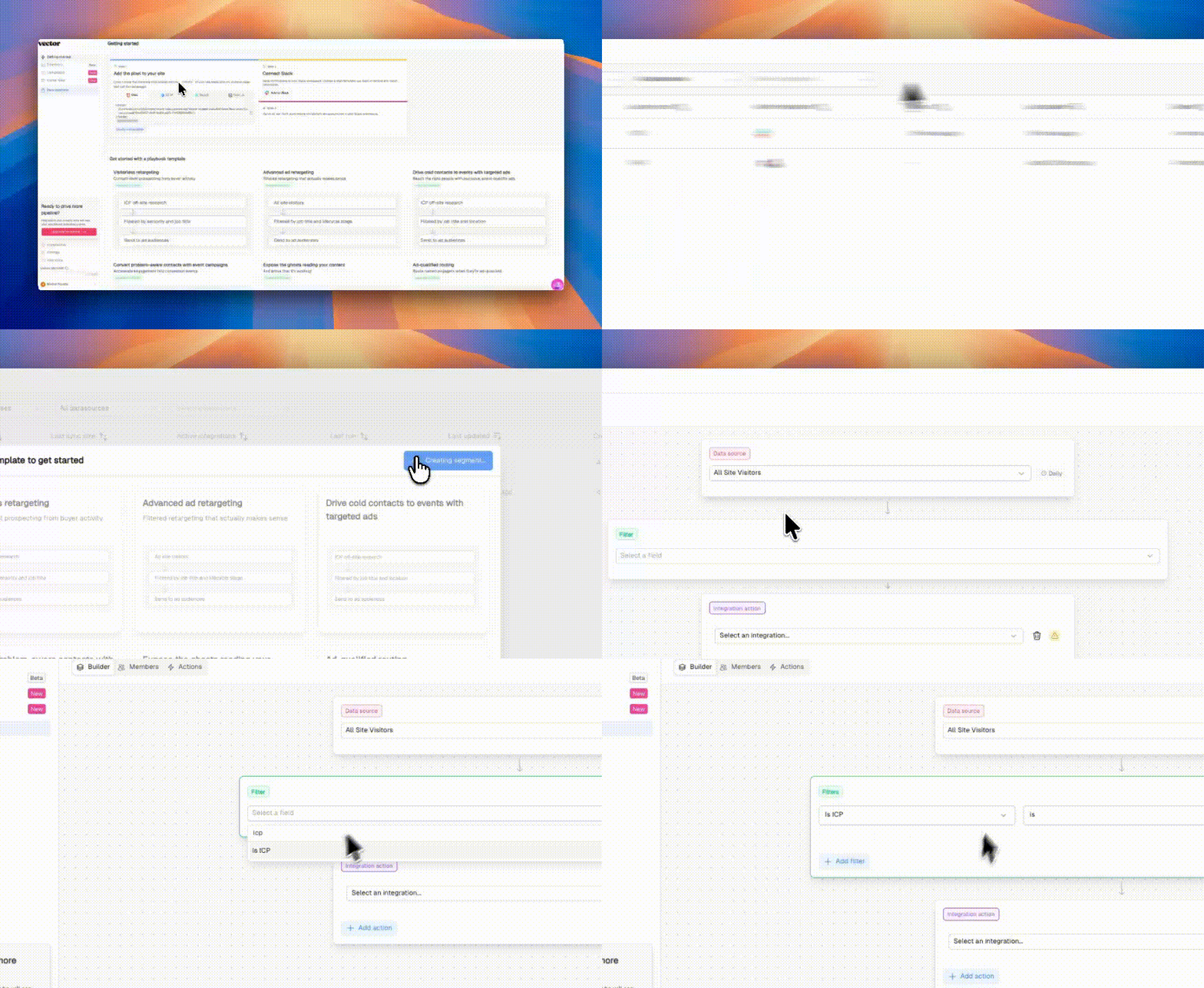
For example:
Sales alerts: Notify reps when someone from their account visits your site or clicks a paid ad but hasn’t converted.
Ad retargeting: Build ad audiences around your ICP to keep your brand in front of the right people.
Reporting: Filter reports by ICP to prove you’re influencing the right accounts.
ICP Targeting for Ads (Target Plan)
On the Target plan, you can take ICP even further with precision ad targeting powered by Vector's contact database. Instead of just filtering existing traffic, you can actively find new contacts who match your ICP and push them directly to your ad platforms.
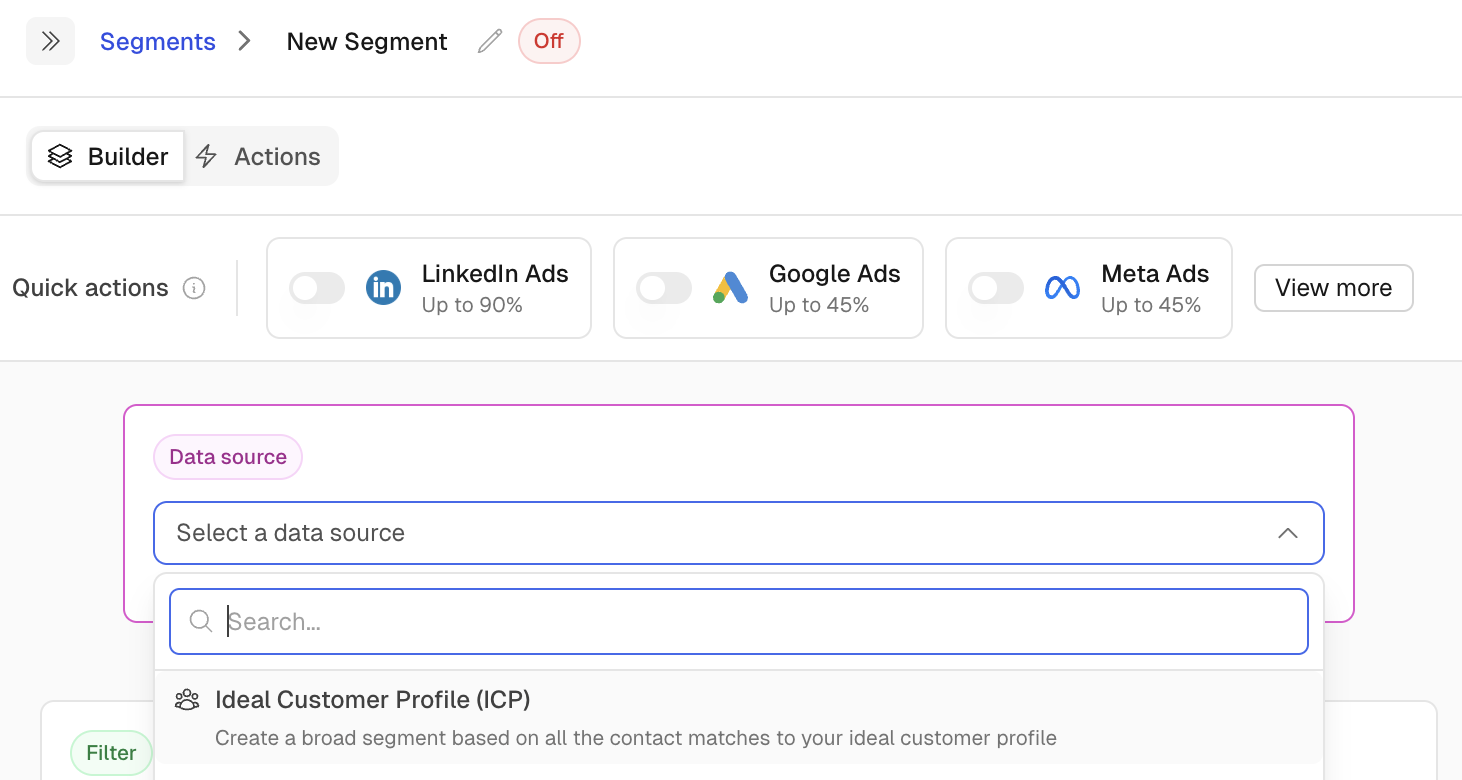
Here's how it works:
Select "Ideal Customer Profile (ICP)" as your data source when building an ad audience.
Vector searches its contact database for everyone who matches your defined ICP criteria (job titles, seniority, company fit, etc.).
Those matched contacts are pushed to your connected ad platform for precision targeting — reaching the right people even before they visit your site.
This means your ads are no longer limited to people who've already interacted with you. You're getting in front of your ICP cold — at scale.
Quick Recap
Your ICP = people + companies you care about most.
Define buyer personas (job titles, seniority, etc.)
Set up target accounts (dream logos + CRM data) — optional
Put it all into action (alerts, ads, reporting, and ICP-powered audience targeting)
Once you've got this dialed in, Vector helps your team focus energy where it matters most: the buyers who actually look like customers.