Using Account Stories
Last updated: September 15, 2026
Account Stories turn the activity behind an opportunity into a concise, evidence-backed narrative.
Instead of reviewing an entire account timeline to understand what happened, a Story highlights the most important marketing and buyer moments associated with an opportunity — along with the contacts, activity, and supporting evidence behind them.
Every time an opportunity opens, Vector checks whether a Story is available for it. A Story is only generated when there are marketing events that can be shown in the key moments — so an opportunity with no attributable marketing activity from Vector's signals will not have a Story.
Stories are designed to help you answer questions like:
What happened before this opportunity entered pipeline?
Which buyers were involved?
What marketing activity occurred during the journey?
What happened as the opportunity progressed or closed?
Where can I see the evidence behind the story?
Important: Stories summarize what happened in the buyer journey. They do not claim that a particular marketing activity caused an opportunity or revenue outcome.
Open the Stories library
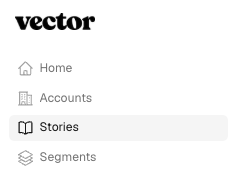
Select Stories from the left navigation to see Stories available across your accounts and opportunities.
The Stories library is organized into three rails:
Featured Win — one org-wide closed-won Story, won within the last 90 days, marked with a pink FEATURED WIN badge.
New Stories — recently generated Stories, marked with a NEW badge until you view them.
Watched — Stories you've already viewed.
Depending on the Story, you may see information such as:
Account and opportunity
Opportunity stage or outcome
Headline
Key activity
Contacts involved
Whether the Story is new or has already been viewed
Select a Story to open the full narrative.
Read an Account Story
Each Story brings together a small number of meaningful moments from the underlying Account Journey.
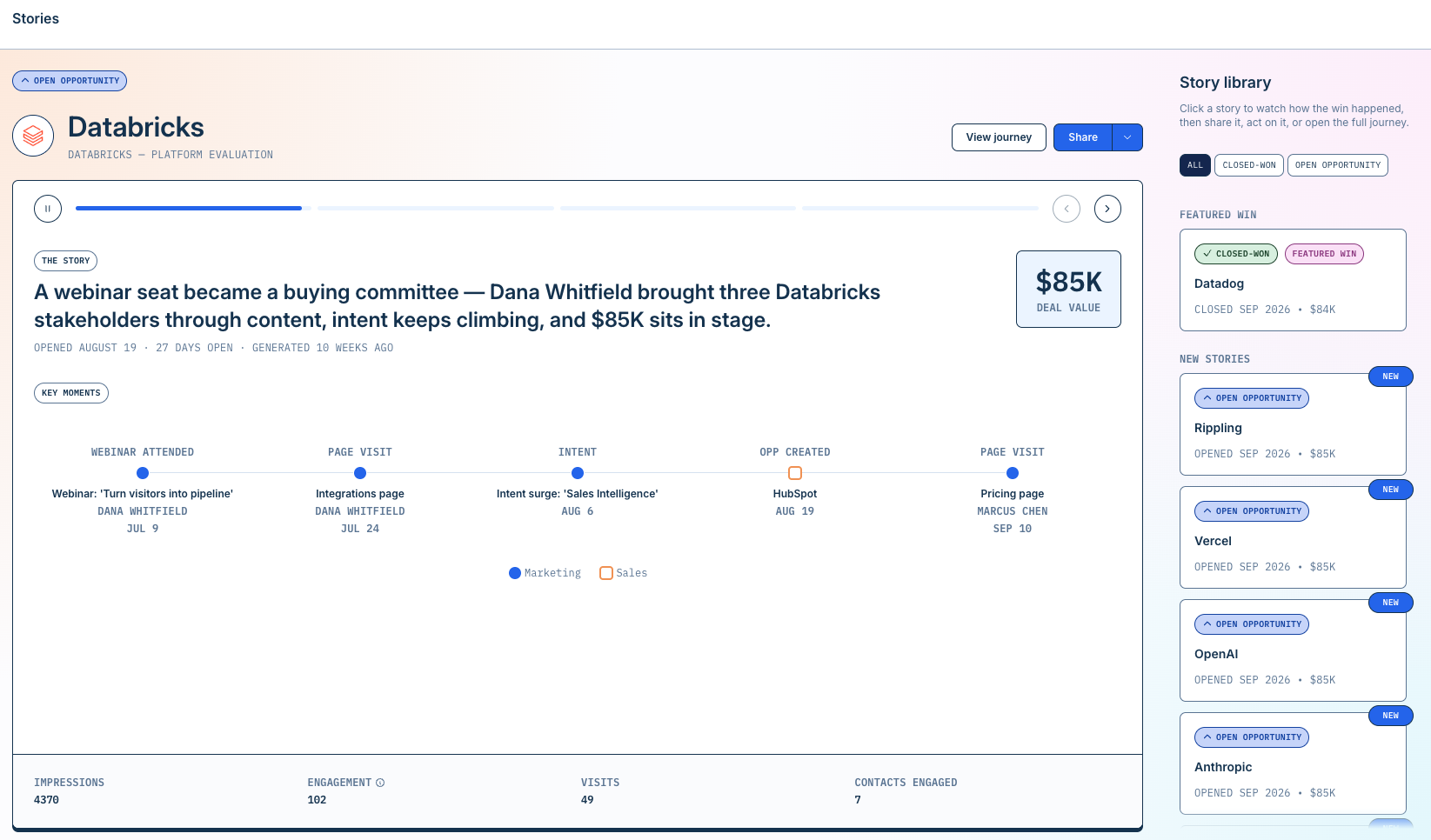
A Story can include several components.
Headline
The headline summarizes one of the strongest facts from the opportunity journey.
It is based on evidence available to Vector rather than a prediction about why the deal happened.
Key moments
Stories highlight important moments that help explain how the opportunity progressed.
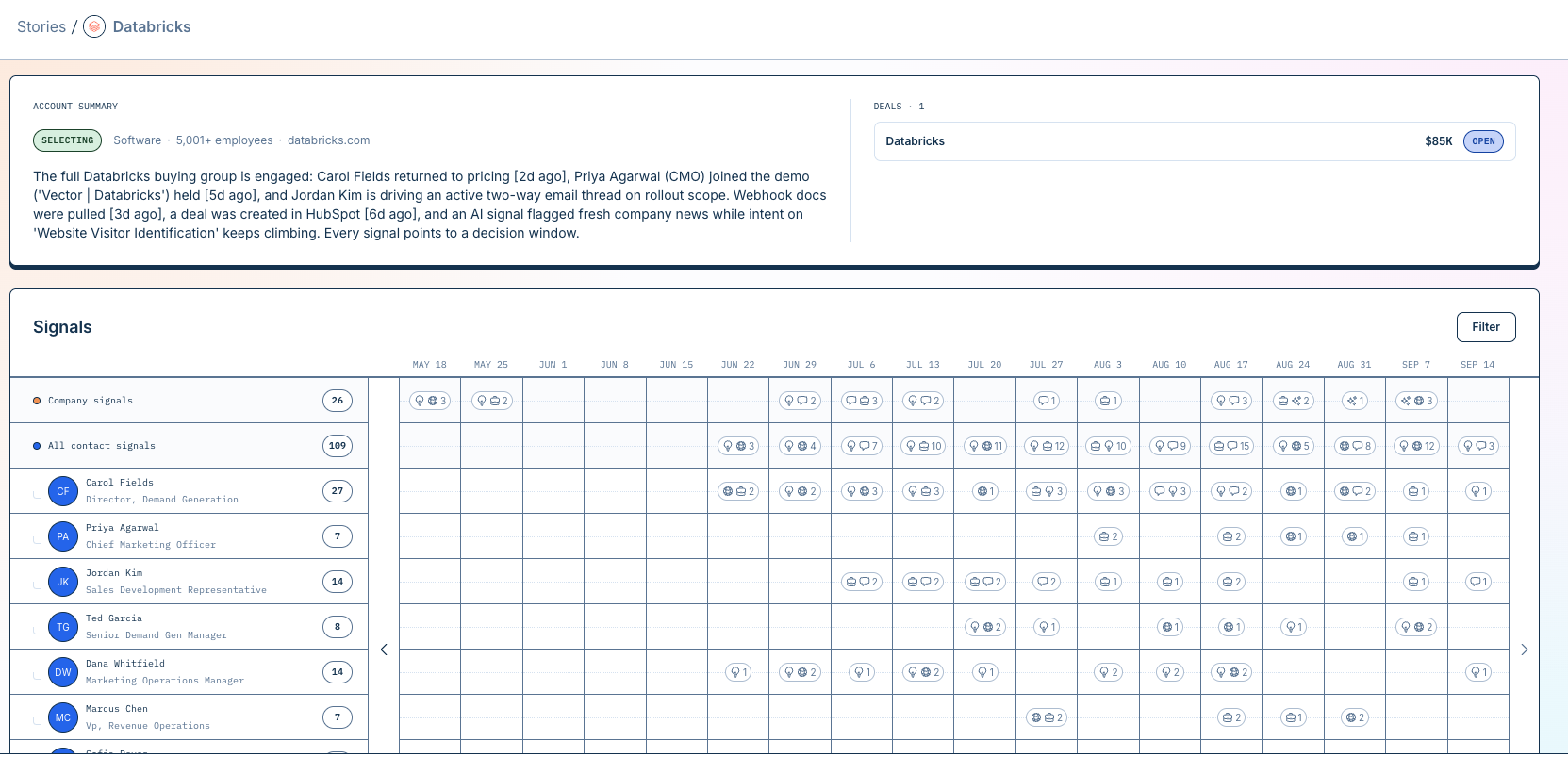
Depending on the available evidence, these might include:
An early marketing interaction
Website activity
Paid media engagement
Marketing email or form activity
Research activity
Sales activity
Opportunity creation
Important activity later in the deal
Closed-won activity
The more signals you track, the richer these stories become. Stories intentionally surface a small number of meaningful moments rather than reproducing every event associated with the account.
Each moment is tied back to underlying activity in Vector so you can verify what happened.
Key contacts
Where activity can be associated with individual people, a Story can highlight the buyers involved in the journey.
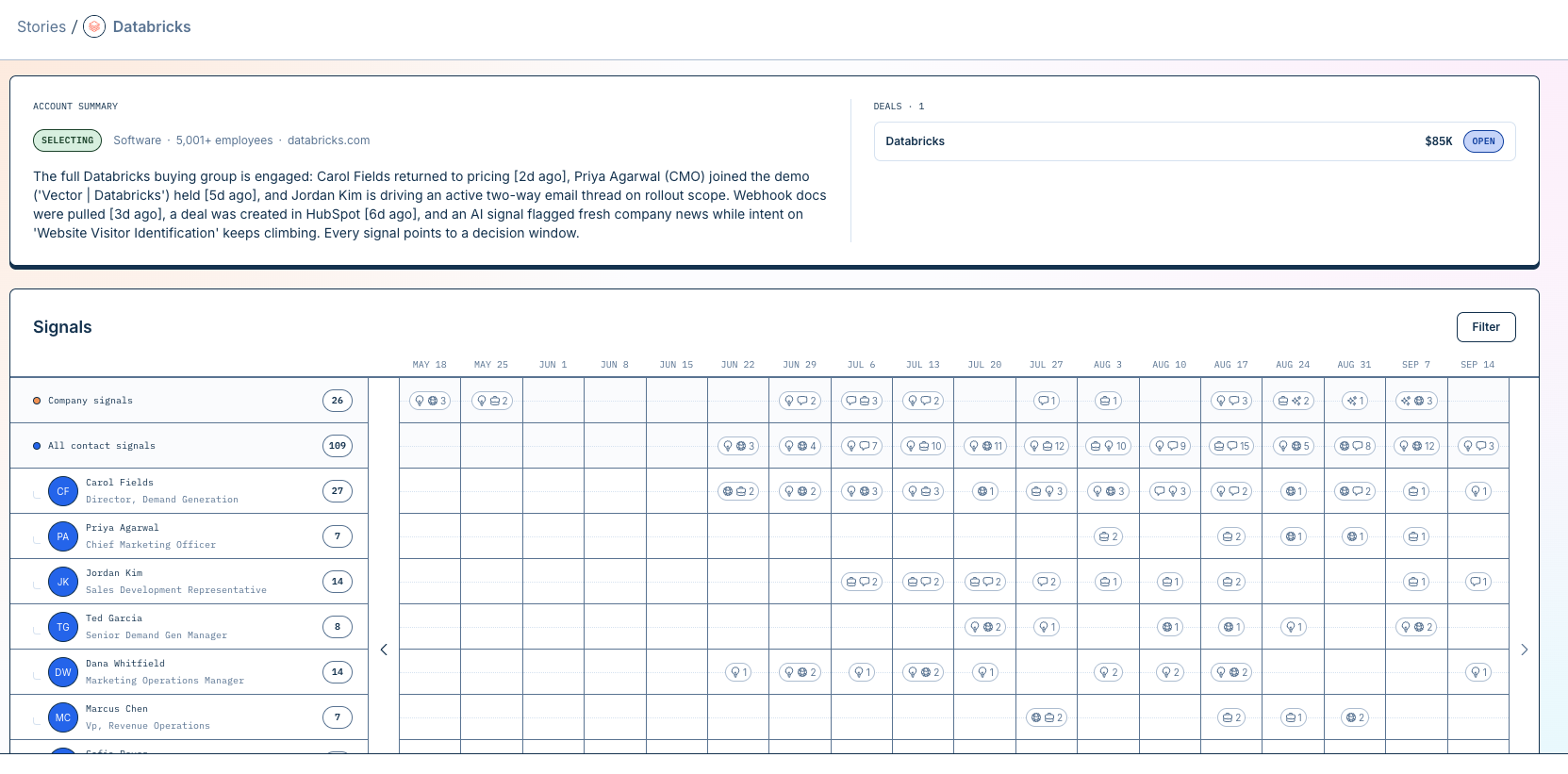
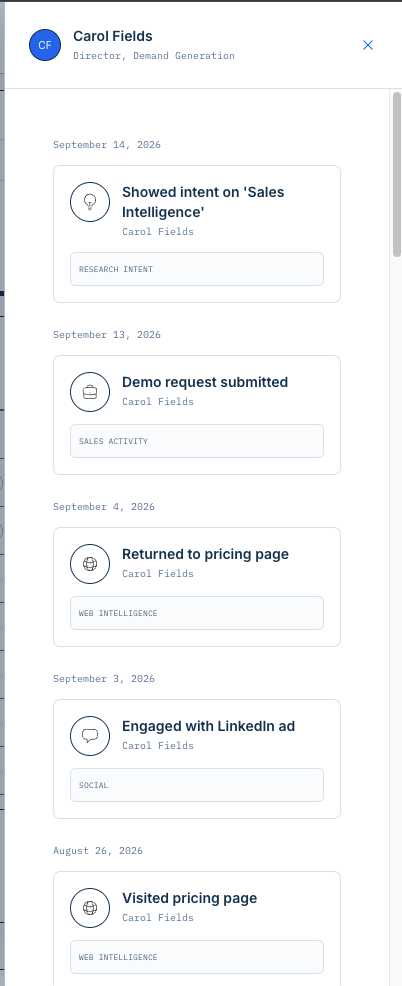
This can help you understand:
Who was engaging
Which members of the buying committee appeared in the journey
Which contacts participated around important opportunity moments
Not every piece of account activity will be associated with an individual person. Company-level signals can also contribute to the broader journey.
Review the evidence behind a Story
Understand your account: Story and Journey
A Story helps you understand where and how marketing had the most impact on an account. It gives you the concise, evidence-backed version of what happened.
The Account Journey shows you the evidence. It lets you investigate:
The account's current stage and score
Activity over time
Signal families
Individual events
Contacts and personas
Opportunity context
The evidence supporting Vector's account assessment
Account Stories are built from activity already available in Vector. Claims and moments shown in a Story are tied to underlying account evidence, so you can move beyond the narrative and investigate the source activity when needed — for example, if a Story highlights a particular engagement or buyer interaction, you can review the underlying event in the Journey rather than relying only on the generated summary.
This is what makes Stories different from a generic AI-written opportunity recap: the narrative is constrained by the evidence available for that account.
A useful way to think about the two experiences is:
Account Story helps you understand where and how marketing had the most impact. Account Journey shows you the evidence behind it.
Related: Understanding account stages and journeys
Stories for open and closed-won opportunities
Vector can create Stories at important opportunity milestones.
Open opportunities
For eligible opportunities entering pipeline, a Story can help answer:
What happened before this account became an opportunity?
This can surface the marketing, buyer, and sales activity that occurred leading up to opportunity creation.
Closed-won opportunities
For eligible closed-won opportunities, a Story can summarize the journey through the deal and highlight meaningful activity associated with the path to close.
A Story requires at least 2 signal events within the last 90 days, with 2–6 featured key events shown in the narrative.
Closed-lost opportunities are not eligible for a Story — only open and closed-won opportunities can have one generated.
Why doesn't every opportunity have a Story?
A Story needs enough supporting evidence to generate a useful, defensible narrative.
If Vector doesn't have sufficient evidence for an opportunity, a Story may not be available.
That gives customers the important behavior without exposing validator/bundle mechanics.
Share or export a Story
Share or export a Story
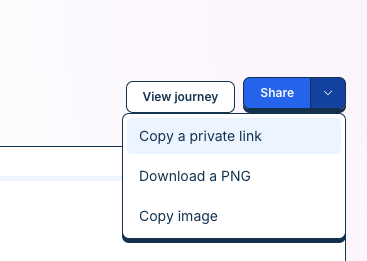
Every Story offers three ways to share it: copy a private link, download a PNG, or copy the image directly.
Copy a private link — the recipient will need a Vector account to view it.
Download a PNG — save the Story as an image file.
Copy image — copy the Story directly to your clipboard as an image.
Stories are designed to make account journeys easier to communicate to teams and stakeholders who may not need to investigate the full timeline themselves.
How Vector creates Stories
Vector first organizes the available evidence associated with the account and opportunity.
It then uses that evidence to create the Story's headline and select meaningful moments from the journey.
Stories follow a few important rules:
Story moments must be supported by underlying evidence.
Dates and numbers must come from the available account data.
Stories do not invent activity that isn't present in the journey.
Stories do not claim that one interaction caused an opportunity or revenue outcome.
If the generated narrative cannot be supported by the available evidence, Vector does not display that unsupported version.
Troubleshooting
I don't see a Story for an opportunity
Stories are created for eligible opportunities when Vector has enough evidence to produce a useful narrative.
If a Story is missing, confirm that:
The account and opportunity are available in Vector
The relevant account is being tracked
Your CRM connection is working
The signals and integrations you expect to contribute activity are enabled
Some opportunities may not have enough available evidence to produce a Story.
A Story doesn't show every interaction with the account
That's expected.
Stories intentionally highlight a small set of meaningful moments rather than reproducing the entire Account Journey.
Open the Account Journey to review the complete timeline.
I want to verify a number or event in a Story
Review the evidence associated with the Story moment or open the full Account Journey.
Story dates, numbers, and activity are based on the underlying evidence available to Vector.