Import accounts with a CSV
Last updated: September 15, 2026
Have a list of priority accounts? Uploading them to Vector helps you track activity for contacts within those accounts.
Uploading account list(s) gives you a defined set of accounts you can use across Vector, such as filtering audiences to the companies you care about. Marking those accounts as Tracked takes it a step further: Vector monitors signals from those accounts, surfaces contacts showing relevant behaviors, and uses AI to prioritize who may be surging and worth engaging.
The CSV file must be 10 MB or smaller.
Ensure the file contains company name, company domain, and account owner. Don't worry about formatting when uploading we will ask you to map the required fields to the CSV!
⬆ How to Upload Your List (Two Options)
Option 1 via Settings:
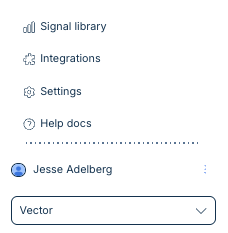
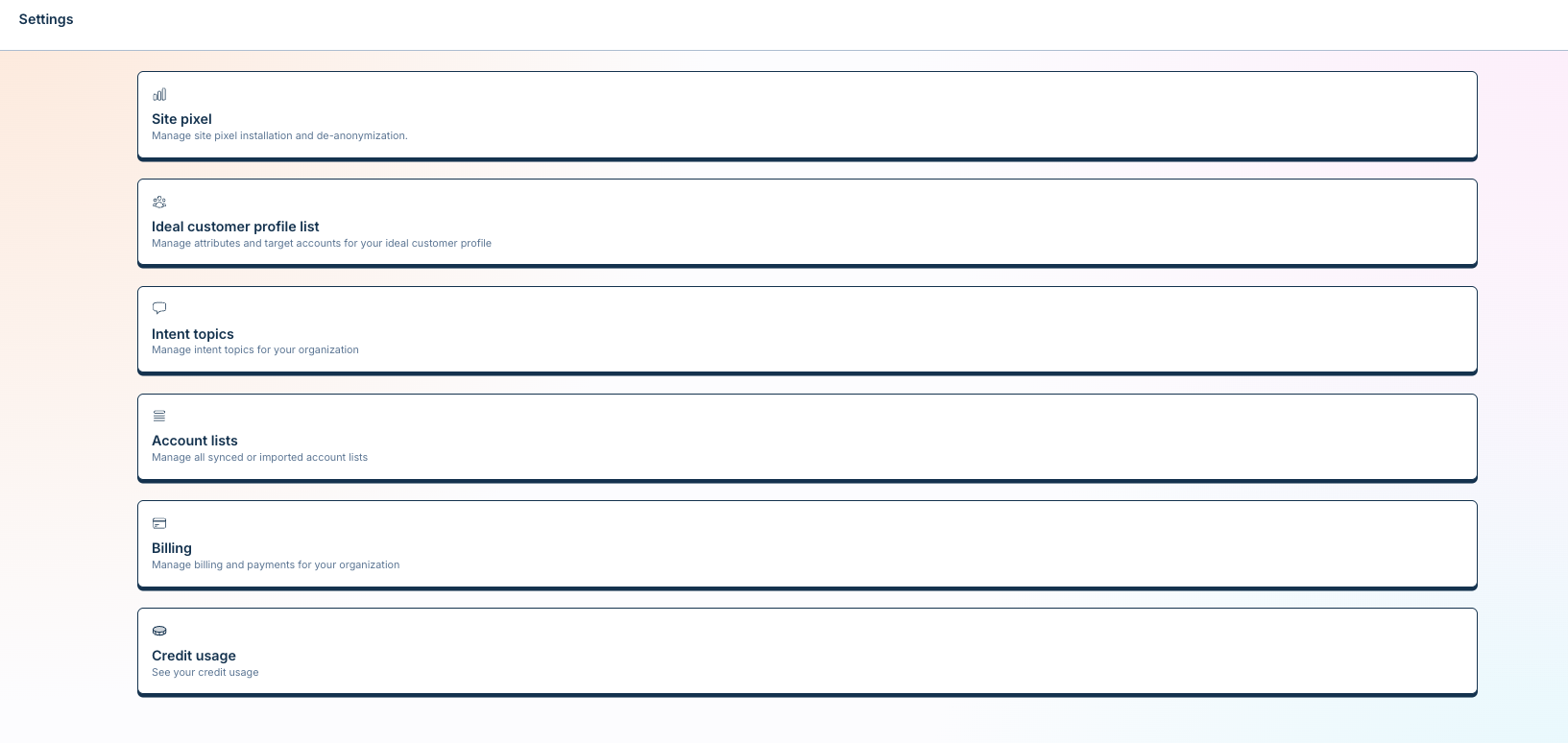
Head to the Settings (bottom left corner) > Account Lists
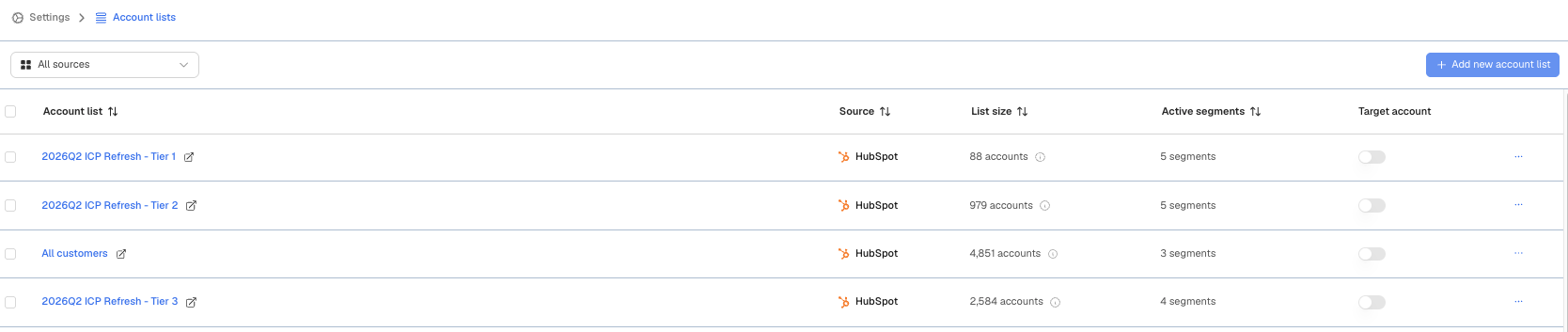
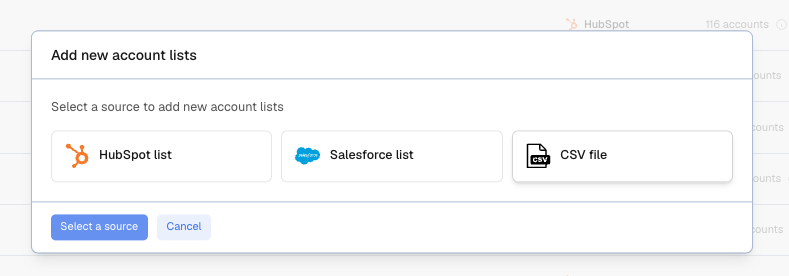
Click Add new account list (top right corner) > CSV
Choose your file and follow the prompts.
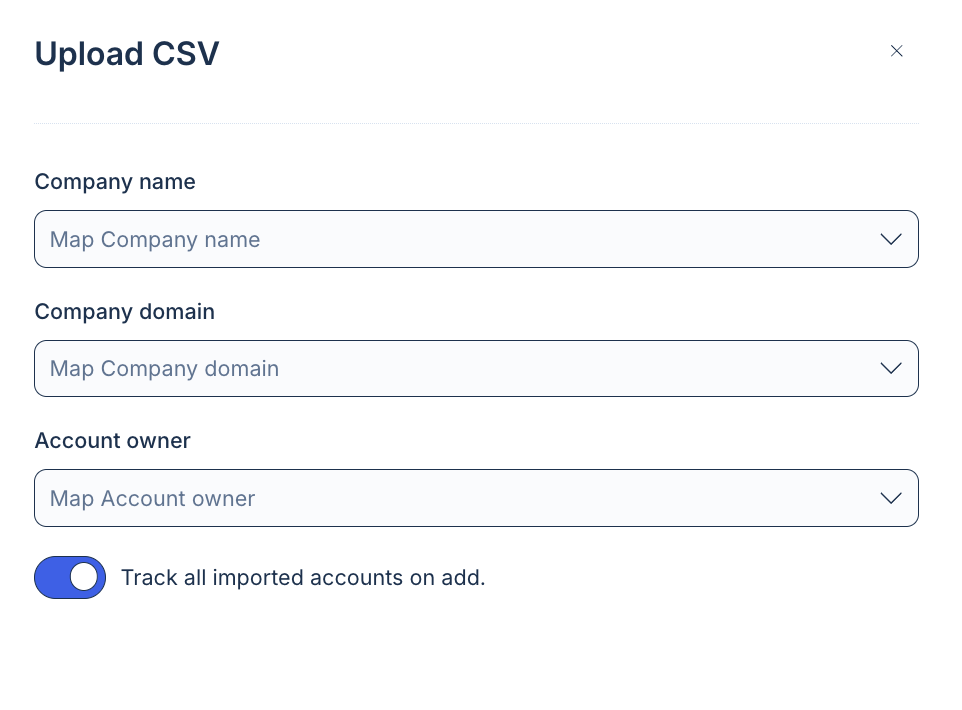
Map the required fields to the applicable columns. The file must contain company name, domain, and account owner.
Don't forget to mark the list as "tracked" if you'd like Vector to track the orgs with your signals!
You can select the list to be tracked for signals-purposes as well
(Option 2 via Accounts:
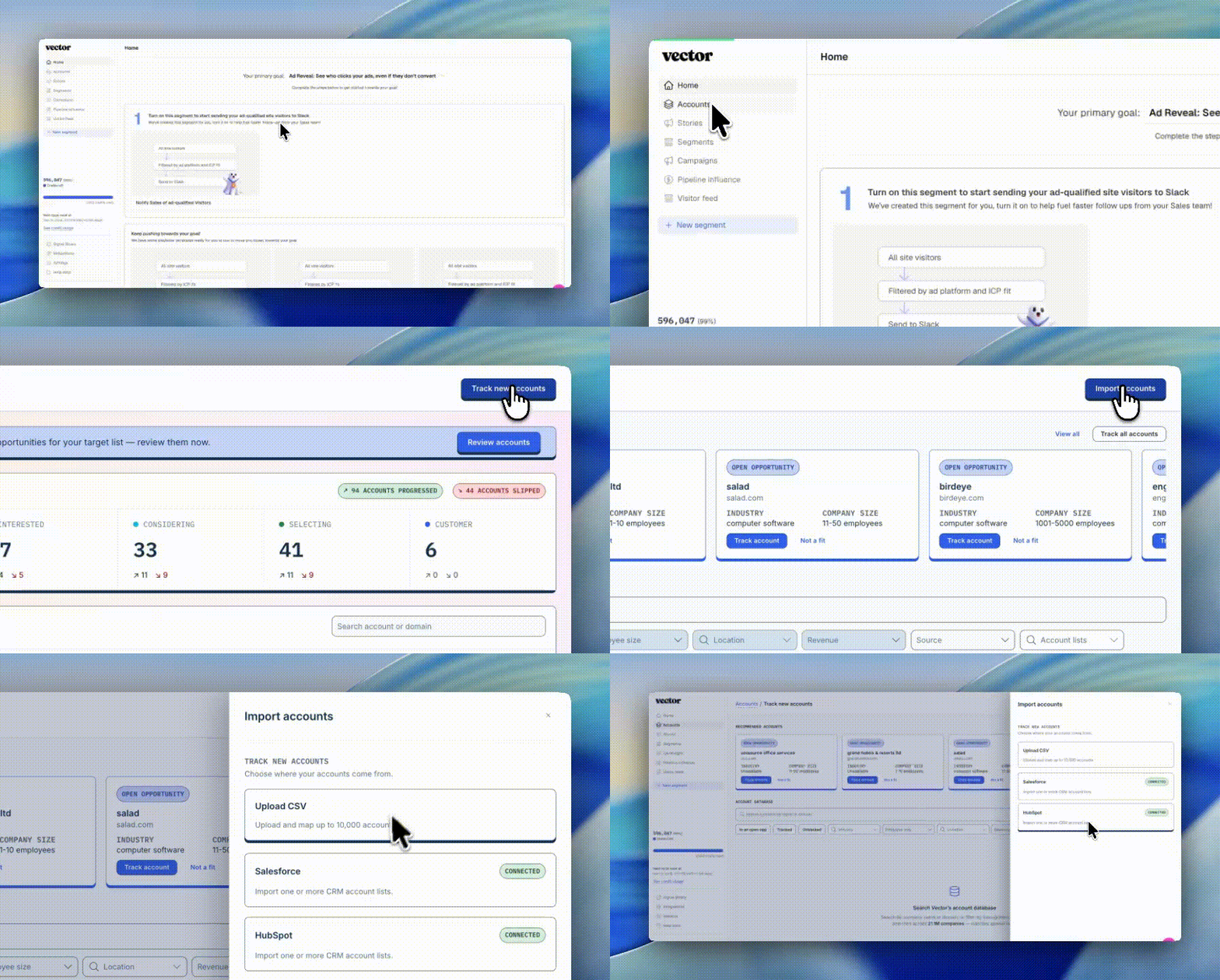
Head to Accounts in the top left corner
Click on "Track new accounts" in the top right corner
Select "Import accounts" in the top right corner
Select CSV
Select "Continue" in the bottom right corner
Map the required fields to the applicable columns. The file must contain company name, domain, and account owner
Don't forget to mark the list as "tracked" if you'd like Vector to track the orgs with your signals!
Select "Import accounts" in the bottom right corner
🛎 Why This Matters
When these accounts (or contacts tied to them) show signs of interest — like clicking around your site or researching a relevant topic — Vector makes sure the right folks on your team know ASAP. Whether it's a Slack ping, CRM activity, and more you'll know exactly when to reach out.