Understanding usage and credits
Last updated: September 25, 2026
Vector uses credits to measure usage across activities that consume platform resources, such as tracking accounts, running certain signals, and taking supported actions.
Your usage can vary based on how many accounts you're tracking, which signals you've enabled, how frequently certain processes run, and the actions your team takes.
Vector shows credit estimates and usage throughout the product so you can understand the impact of a configuration before making changes.
What are Vector credits?
Credits are the unit Vector Platform uses to measure usage across the platform.
Different activities can consume credits in different ways. Some are predictable based on your configuration, while others depend on actual activity.
For example:
Tracked accounts can use credits based on the number of accounts you're tracking and the configured cadence.
Signals may use credits when qualifying events or activity are detected.
Actions may use credits when Vector performs an applicable action or activation.
Some features or signal types may have no additional credit cost.
What uses credits?
Tracking accounts
Tracking accounts
Tracking accounts is one of the more predictable sources of usage.
Your expected usage is based on:
The number of accounts you're tracking
Tracked-account usage is a flat rate: 10 credits per tracked account, per month.
When you add or track accounts, Vector can show the estimated change in monthly credit usage before you complete the action.
This lets you understand the impact of adding more accounts before committing to the change.
Good to know: Adding an account to Vector and tracking an account are different actions. Credit usage associated with account monitoring applies to tracked accounts.
Related: Find and track accounts in Vector
Signals
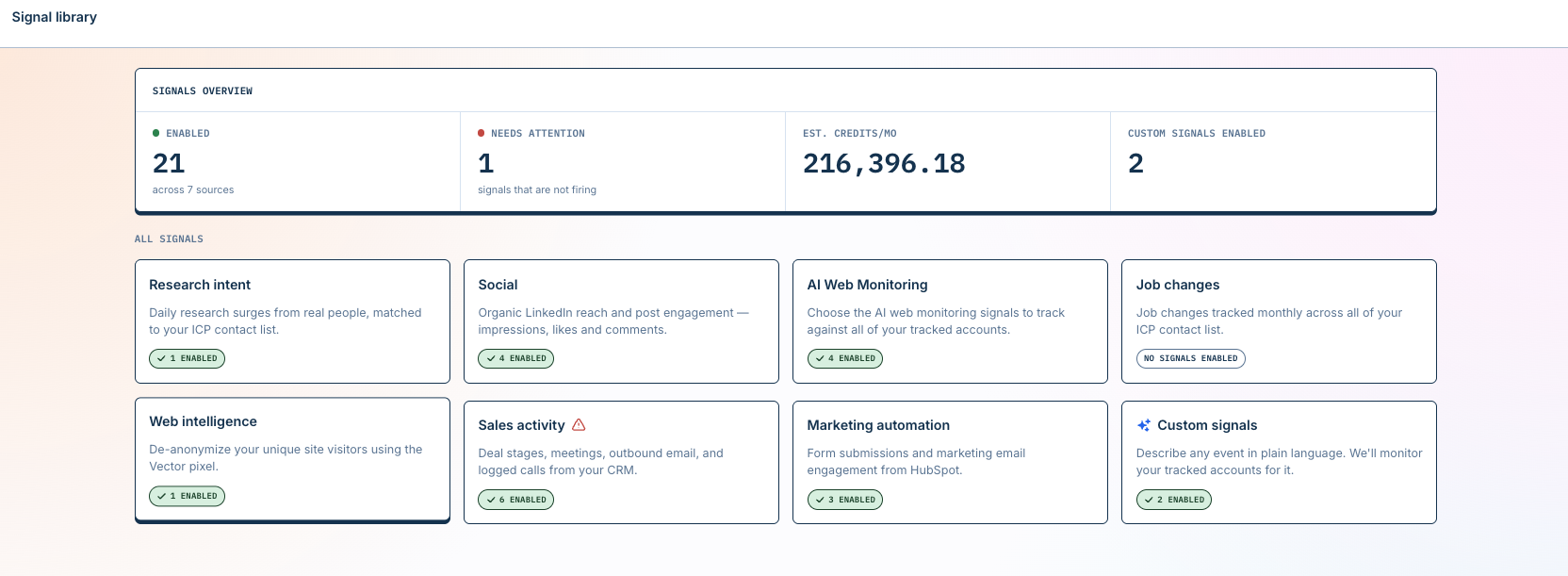
Some signals also consume credits.
The amount and method of usage depend on the type of signal. For example, a signal may be metered based on qualifying events or other activity generated while the signal is enabled.
In the Signal Library, applicable signals show their credit or usage information so you can review the expected impact before enabling them.
[Screenshot: Signal Library showing credit information]
Some signals are available at no additional credit cost.
Your actual signal usage can vary based on factors such as:
Which signals are enabled
The accounts included in the signal's scope
How much qualifying activity occurs
The configuration or frequency of the signal
Related: Using the Signal Library
Actions and activation
Certain actions in Vector may also consume credits.
Where applicable, Vector shows the estimated credit impact before you complete or enable the action.
This means you should not need to memorize a separate rate card to understand the cost of an action — review the credit information shown in the applicable workflow.
View your usage
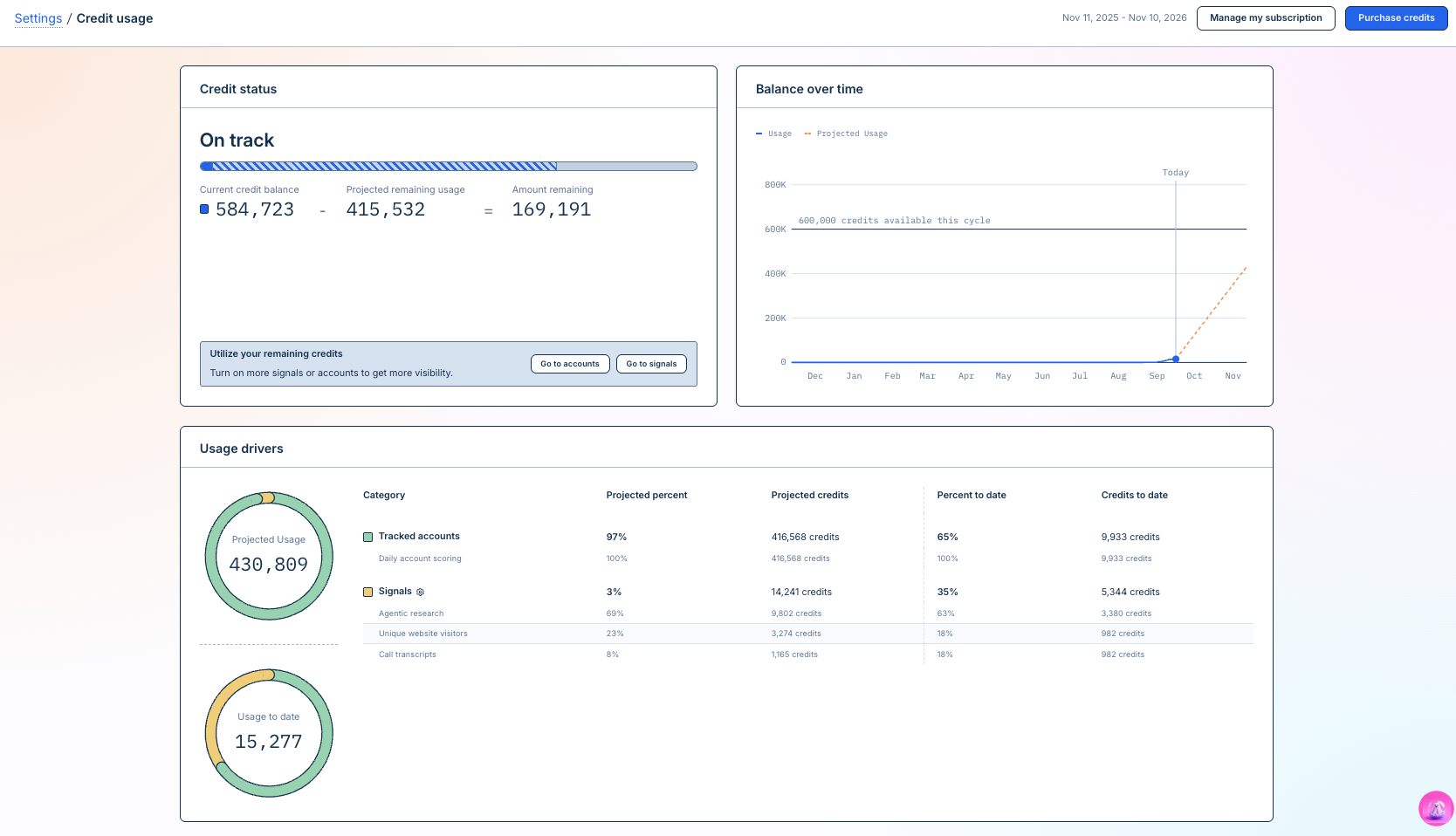
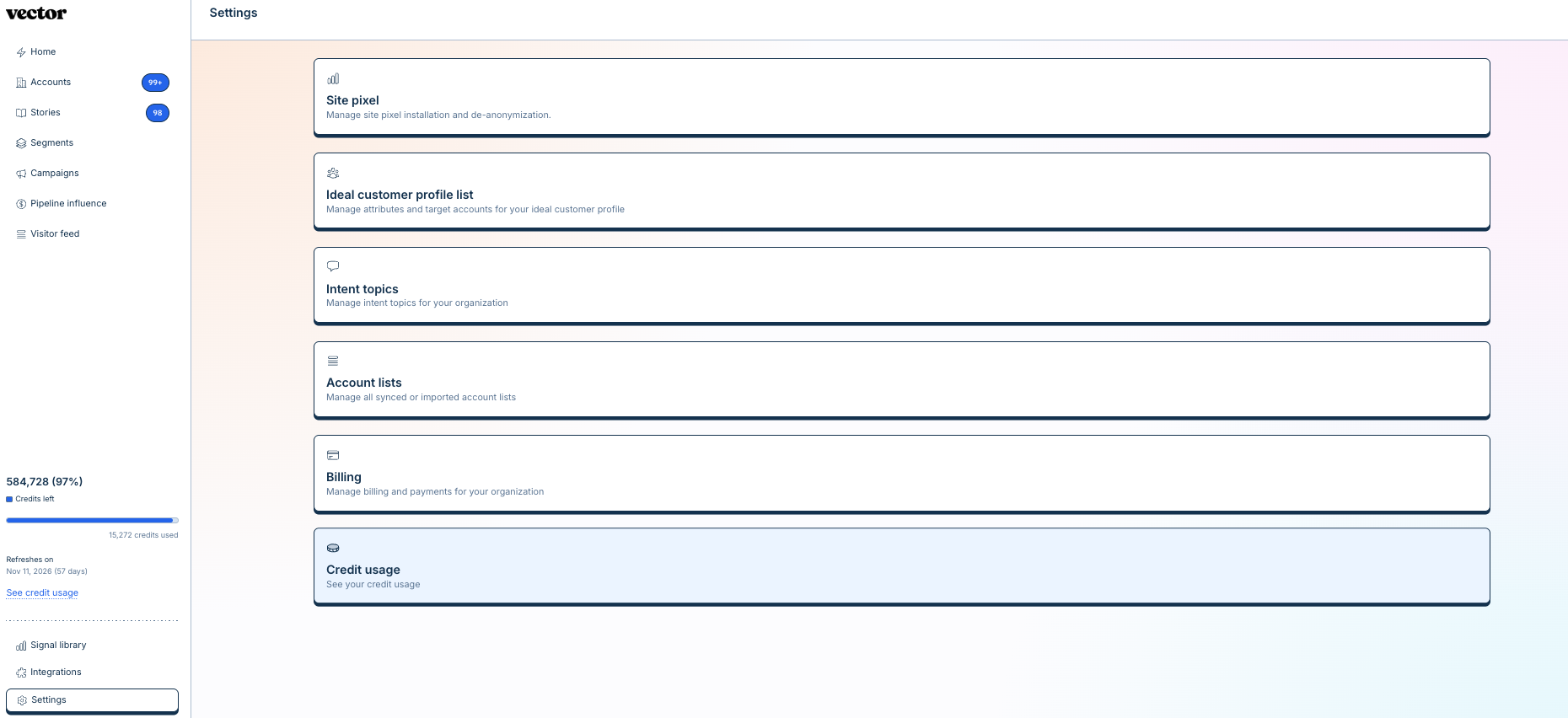
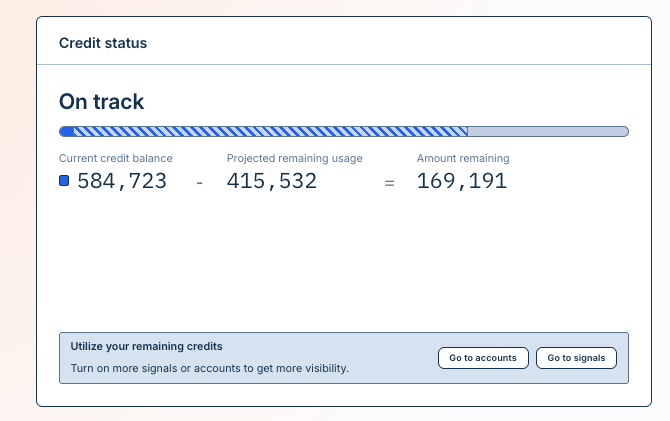
Go to Settings → Credit Usage to review your organization's credit usage and forecast.
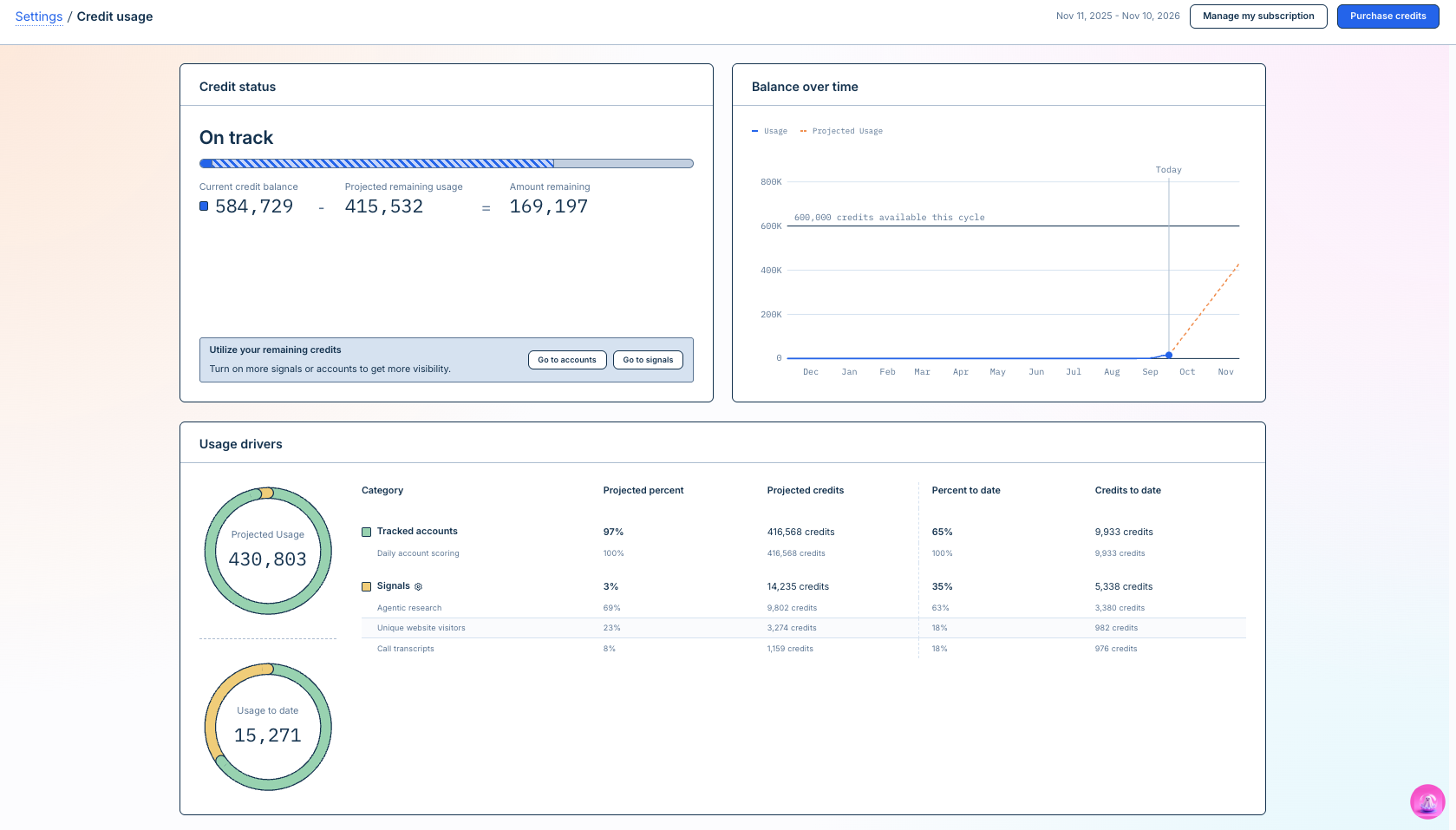
Depending on your configuration, you may see:
Your available credit allocation
Usage during the current billing cycle
Projected usage for the cycle
A breakdown of where credits are being used
Warnings when usage is approaching your available allocation
The usage breakdown can help you identify which parts of your Vector configuration are contributing most to consumption.
Understand projected usage
Vector can estimate how many credits you're likely to use during the current billing cycle.
The forecast considers your current usage and, where applicable, your configured settings.
For predictable usage such as tracked accounts, Vector can use the number of tracked accounts and their configured cadence rather than simply extrapolating past usage.
This makes the forecast useful for answering questions like:
Are we on pace to stay within our current credit allocation?
What is driving most of our usage?
What would happen if we tracked more accounts?
Should we adjust our configuration before the next billing cycle?
Good to know: Projected usage is an estimate. Actual usage can change as your configuration and activity change.
Preview credit changes before taking action
Some workflows let you see the expected credit impact before you save a change.
For example, when adding tracked accounts, Vector can show:
Your current tracked account count
The number of accounts you're about to add
Your current expected usage
Your expected usage after the change
Use these previews when making larger configuration changes so you can understand their effect on usage in advance.
What happens when usage gets high?
Vector can surface warnings as your usage approaches your available allocation.
When you see a usage warning, review your Credit Usage page to understand what is driving consumption.
You may want to review:
How many accounts you're tracking
Signals currently enabled
Signal scope or cadence
Other credit-consuming actions
Managing your credit balance
Every Vector Platform organization can:
Buy a top-up credit pack instantly from the Credit Usage page. This is charged to the card on file, and credits are granted immediately.
Enable auto-top-up to refill your balance automatically when it runs out, with an optional per-cycle cap (self-serve in 5,000-credit steps, up to 100,000 per cycle; beyond that, contact sales).
Change your monthly credit subscription self-serve. This takes effect at the start of your next billing cycle and is not prorated. Annual or negotiated contracts must go through sales.
What happens if I run out of credits?
Vector does not rely on unexpected overage billing when your available credits are exhausted.
Enforcement is soft: in-flight work can briefly overshoot past zero, and that overshoot is recorded as debt (shown as a negative balance). This debt is forgiven when your next monthly credit grant lands, or settled immediately if you complete a top-up.
If auto-top-up is off and your credits are fully exhausted, your organization is disabled — for example, the site pixel stops collecting, with the reason shown as "no credits." Your organization re-enables automatically as soon as credits become available again. If auto-top-up is on, your organization is never disabled.
If you're approaching or have reached your available credit limit, contact your Vector administrator or Vector representative for help reviewing your options.
Review your tracked accounts regularly
Because tracked accounts contribute to ongoing usage, it's a good idea to periodically review which accounts still need to be actively monitored.
For example, an account may no longer need to remain tracked after it becomes a customer or is no longer part of your active go-to-market motion.
Vector may help identify accounts that are worth reviewing, but it does not automatically remove tracked accounts on your behalf.
You remain in control of which accounts are tracked.
Credits vs. other usage limits
You may see other usage or quota indicators in Vector in addition to your overall credit usage.
These can represent limits associated with a particular feature or resource.
A feature-specific quota should not necessarily be interpreted as your total Vector credit balance.
Use Settings → Billing as the primary place to review overall credit usage and projected consumption.
Frequently asked questions
Does every feature use credits?
No.
Some features or signal types may have no additional credit cost. Where credits apply, Vector displays the applicable usage information in the relevant workflow.
How do I know how many credits an action will use?
Where supported, Vector shows the expected credit impact before you complete the action.
For ongoing usage, review Settings → Billing for your usage breakdown and forecast.
Why is my projected usage different from what I've used so far?
Projected usage estimates what you're likely to consume over the full billing cycle.
It can account for configured usage — such as the number and cadence of tracked accounts — rather than only looking at credits already consumed.
Does tracking more accounts increase usage?
Yes. Tracked account usage is based in part on the number of accounts you're actively tracking and the applicable cadence.
Review the credit preview when changing your tracked account set.
Can I reduce usage by untracking accounts?
Yes. If an account no longer needs to be actively monitored, you can untrack it.
Vector does not automatically decide which accounts should be removed from your tracked set.
Do unused credits roll over?
Every credit grant has its own expiration date. Grants can come from your subscription, a top-up, a gift, or a partner arrangement, and each has its own terms.
Monthly subscription credits expire at the end of their cycle. For top-up, gift, or partner credits, check your grant terms — expiration can vary.
Review your organization's billing details or contact your Vector representative for the specific rules that apply to your account.