Campaign Reporting Dashboard
Last updated: October 14, 2025
⚠ Beta Feature
This dashboard is currently in beta. Functionality may change as we continue to improve reporting. Please share feedback with solutions@vector.co to help shape the final release.
Overview
Vector’s Campaign Reporting Dashboard gives you a centralized view of all your ad campaigns (whether you're using a Vector audience or not) and how they’re performing—both in terms of general engagement and ICP-level (Ideal Customer Profile) clicks. Vector will automatically detect campaigns using native Ad integrations like Google and LinkedIn, or inferred campaigns via UTM detection from your last 30 days of traffic.
Navigating the Dashboard
When you first open the Campaign Reporting Dashboard, you’ll see a list of all your campaigns.
⚠ Running Google or LinkedIn campaigns, but don't see them? Make sure your platforms are connected by navigating to integrations on the bottom left toolbar. Note: there are two integrations for Linkedin (one to bring data in, and one to push data out).
Status filter – View campaigns by status: active, inactive, completed, deleted, or unknown.
Unknown = Visible from UTMs but no integration connected.
Platform filter – Filter campaigns running on specific platforms.
Vector audiences only – Use the toggle to show only campaigns targeting Vector audiences.
Search bar – Quickly search for a specific campaign.
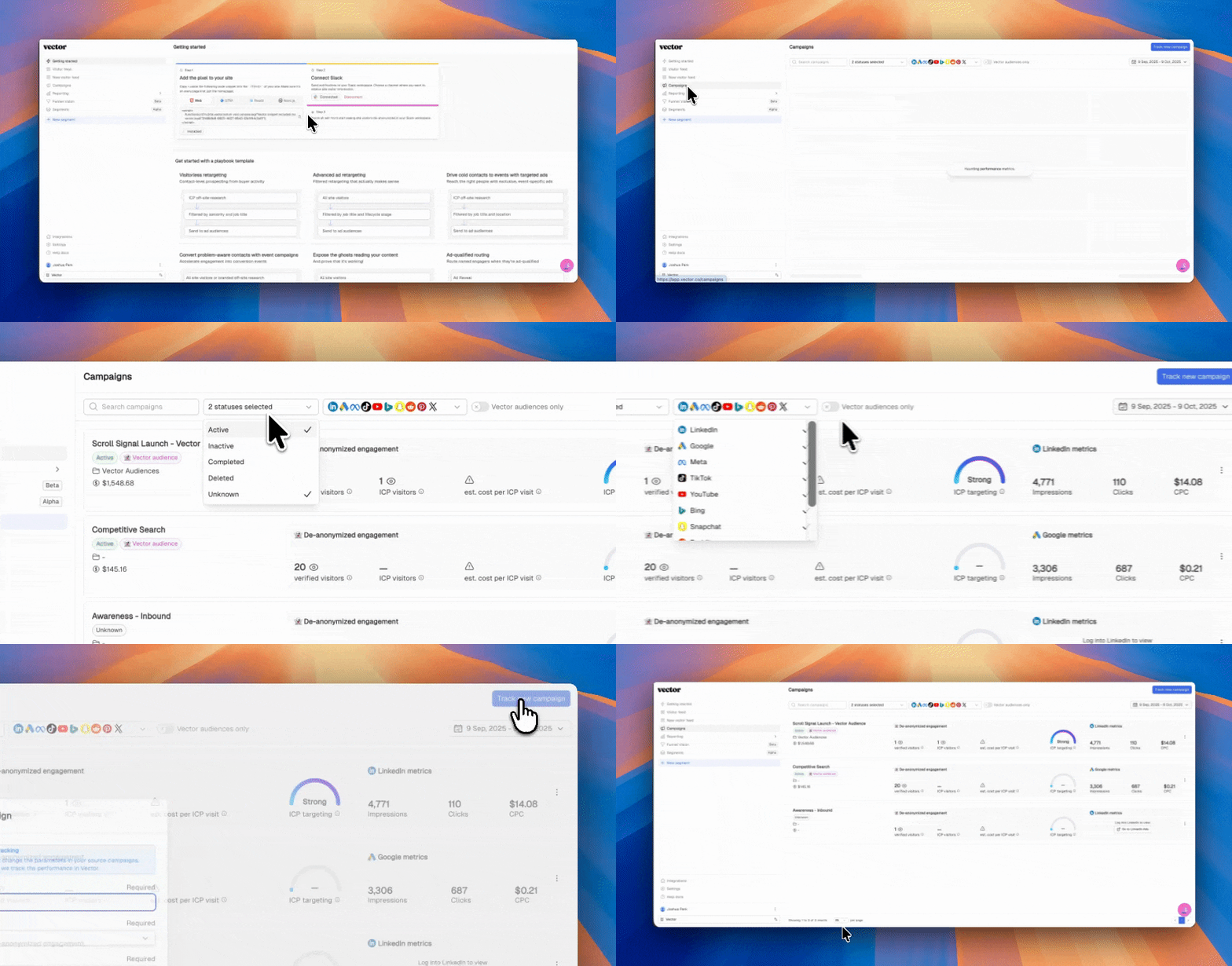
If you don’t see a campaign you’re expecting, you have two options.
Two types of campaigns in this view:
Auto-discovered (from UTMs),
Integration-based (full metrics from Google/LinkedIn).
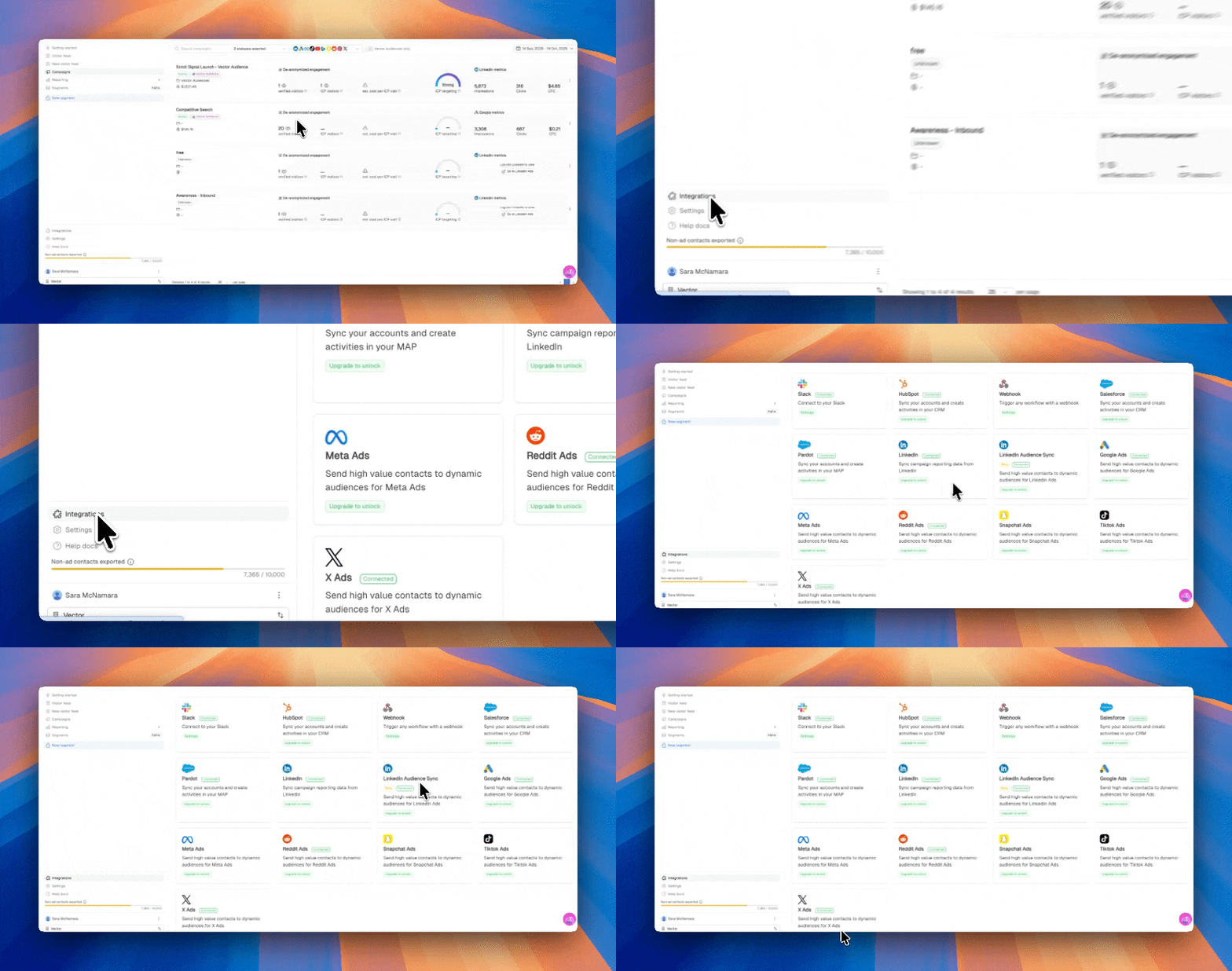
Integration-based:
Running Google or LinkedIn campaigns, but don't see them? Make sure your platforms are connected by navigating to integrations on the bottom left toolbar. Note: there are two integrations for Linkedin (one to bring data in, and one to push data out).
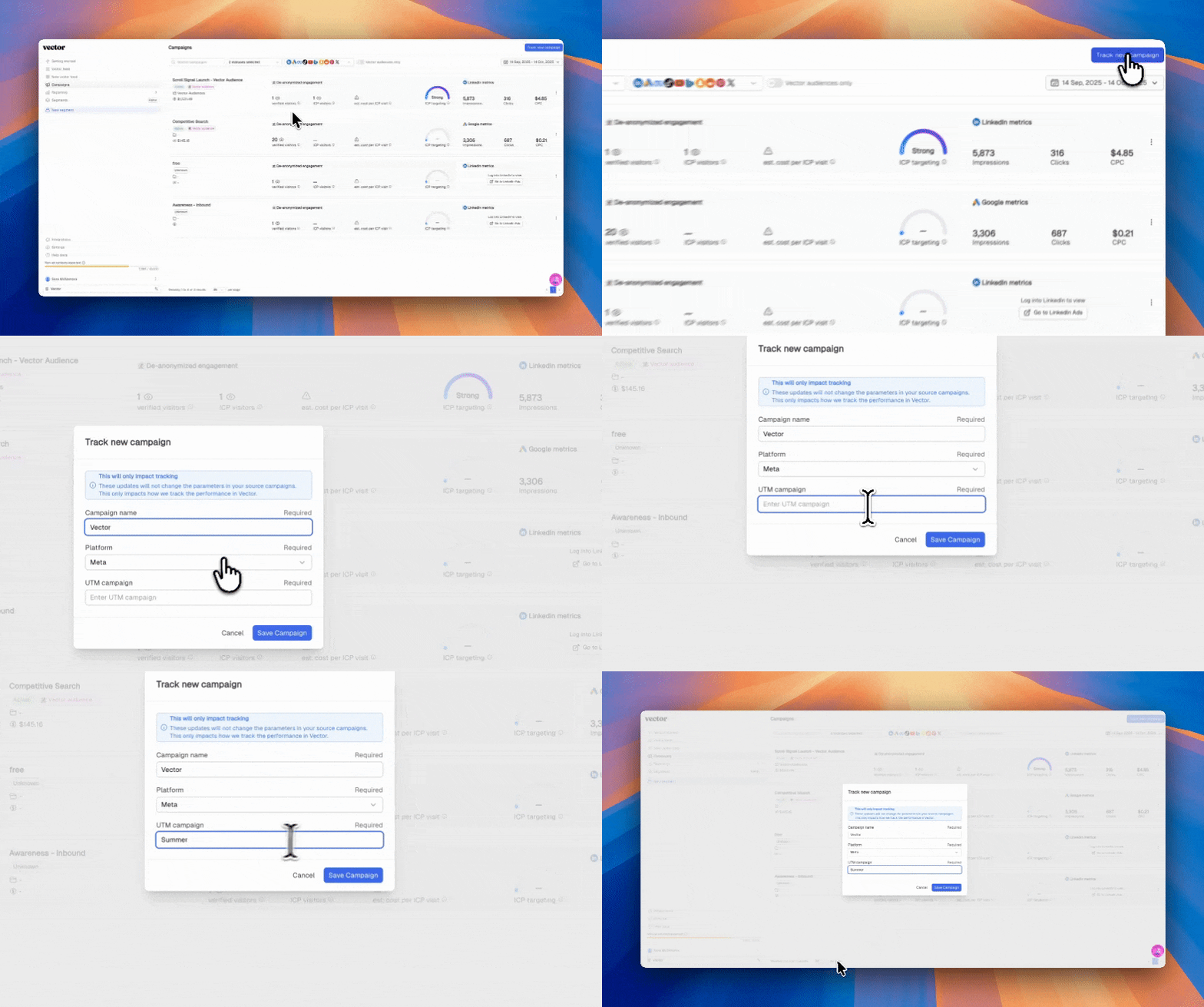
Auto-discovered - if you have a non-integrated campaign you'd like to track, you can add a new UTM to the dashboard:
Campaign name
Platform (from a dropdown)
Campaign UTM (regex supported)
Click Save Campaign, and your new campaign will appear in the list.
What You’ll See in the Dashboard
For each campaign, the dashboard provides both Vector-specific insights and ad platform metrics.
Key Metrics from Vector
Engaged Contacts – The number of unique contacts Vector has identified who clicked your ad but did not convert.
Note: Vector only de-anonymizes U.S. traffic (aiming for 20–30%). You may see a different number than what’s reported directly in the ad platform.
ICP Visitors – Unique contacts that match your ICP definition (job title, seniority, department, etc.).
Cost per ICP Visit – The average cost of driving an ICP visitor to your ad.
ICP Targeting Performance Chart – A visualization showing if your ICP targeting is trending strong, average, or low.
Metrics from Ad Platforms
Impressions – As reported by the ad platform (e.g., LinkedIn).
Clicks – Total ad clicks.
Cost per Click (CPC) – Average cost per click from the ad platform.
Vector Audience Breakdown – Results segmented by whether the campaign used a Vector audience or not.
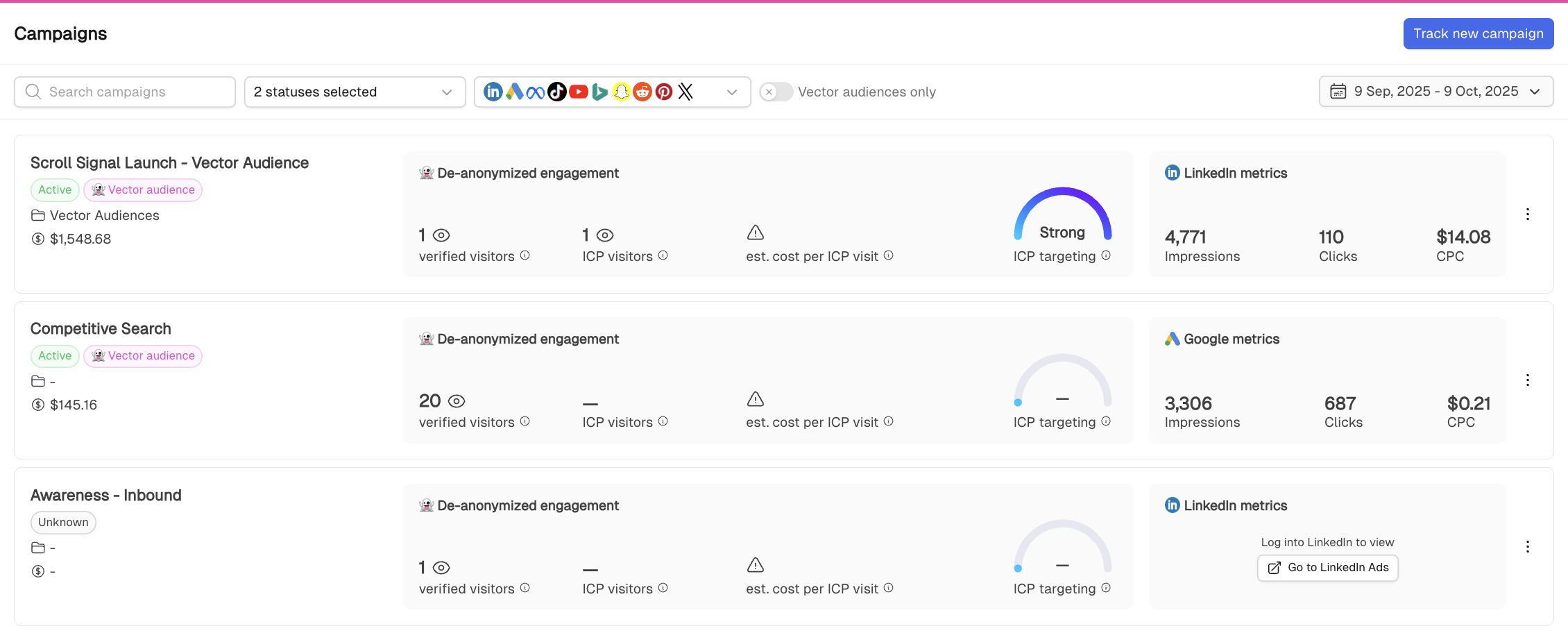
⚠ Estimated cost per ICP visit will appear when there are at least 5 ICP visitors from the campaign.
Setting Up and Editing Your ICP
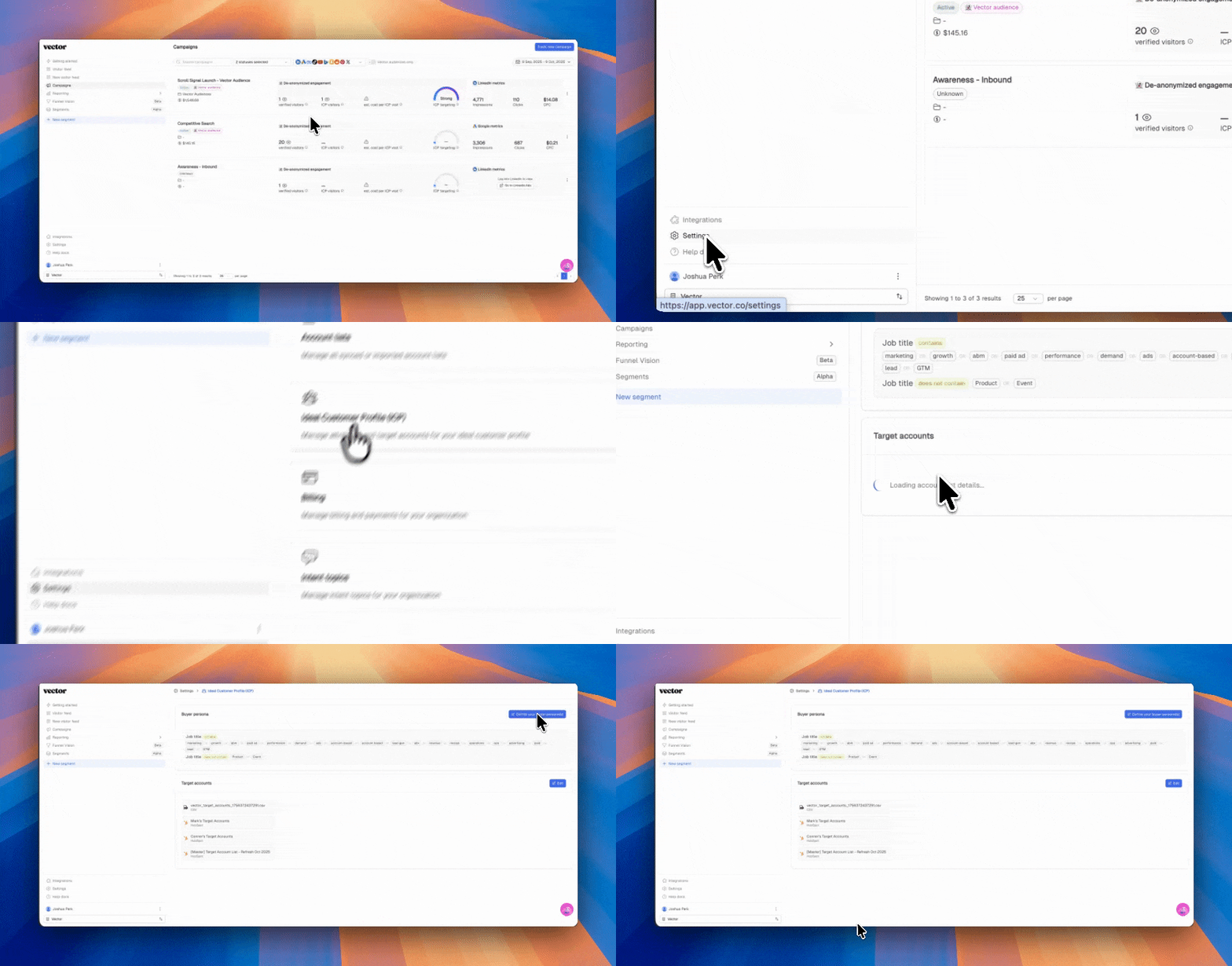
If you don’t see ICP visitor data, click the info icon (ℹ) next to ICP Visitors. This will take you directly to your ICP settings.
Here, you can define your ICP criteria, such as:
Job titles to include/exclude
Seniority levels
Departments
Once saved, Vector will apply these settings to your campaign reporting, allowing you to measure how many ad clicks align with your ICP.
See your ICPs clicking into these ads
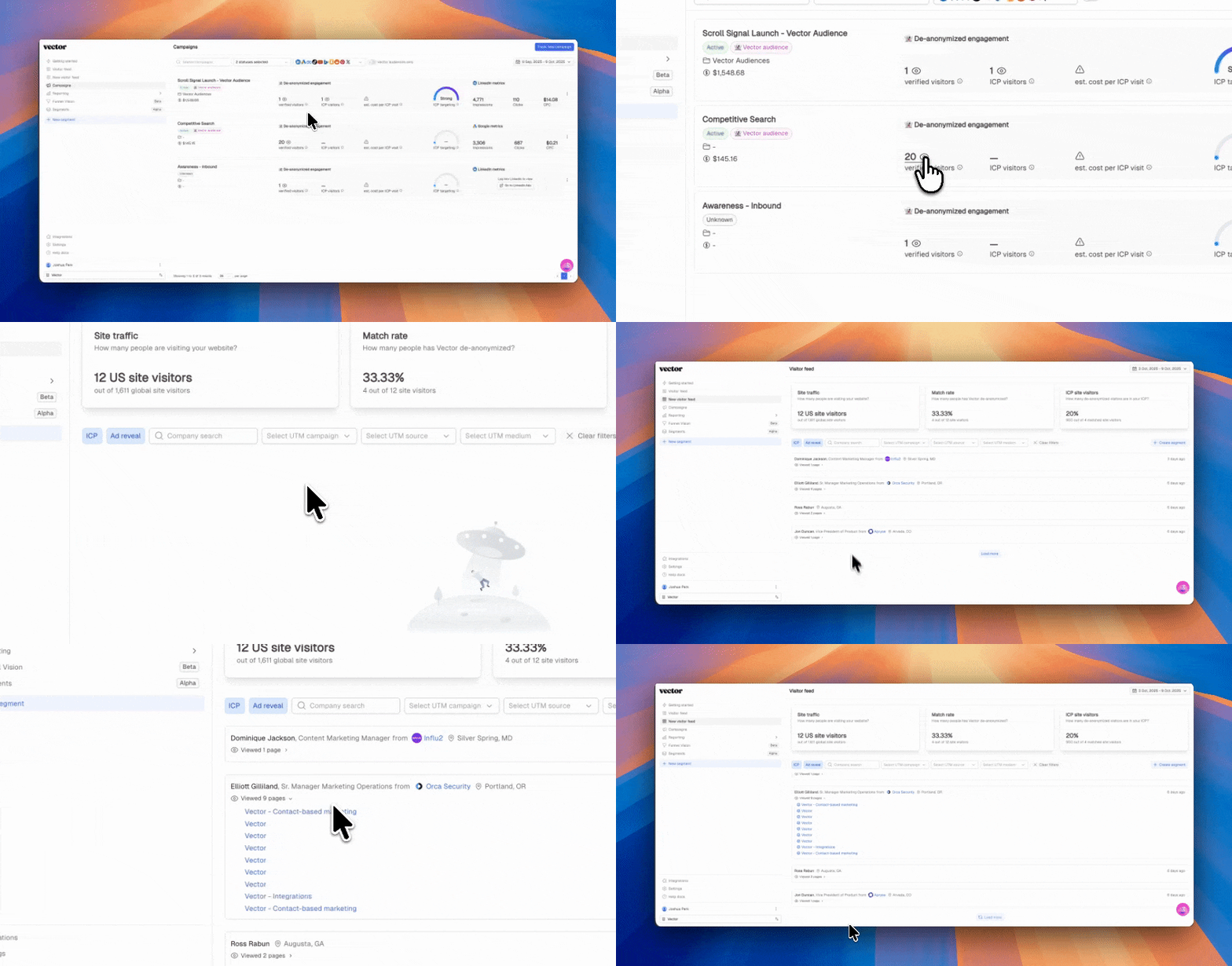
Interested in seeing the actual people who are clicking on your ads (the ghost behind the curtain, if you will)?
Simply click on the eye (👁) next to verified visitors to see all contacts de-anonymized
Click on the eye (👁) next to ICP visitors to see contacts engaging with your ads that meet your ICP setup you completed above.
✅ With the Campaign Reporting Dashboard, you can measure ad performance not just in clicks and costs, but in quality—ensuring your campaigns are reaching the right people.