Why Am I Getting Low Notification Volume?
Last updated: September 15, 2026
If you're seeing low or no notification volume from the Vector Pixel, there are a few things to check.
1. You Recently Installed the Vector Pixel
If you just installed the Vector Pixel, it may take a little time for eligible visitors to reach your site and activity to begin flowing into Vector.
After installing the pixel, we recommend testing it to confirm it's installed and firing correctly.
You can do this directly from the Home page in Vector:
Navigate to Home.
Find Step 2: Test the Pixel in the onboarding checklist.
Follow the prompts to verify your installation.
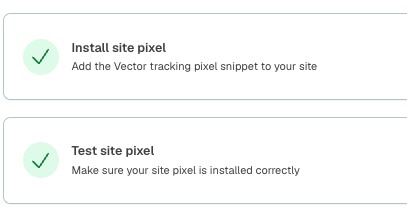
If the test is successful, your Vector Pixel is installed correctly.
2. The Vector Pixel Is Installed Behind Cookie Consent
Check whether your Vector Pixel has been configured to load only after a visitor accepts cookies or provides consent through your Consent Management Platform (CMP).
When the pixel is installed behind cookie consent, the Vector Pixel won't load until the visitor provides the required consent. Visitors who don't consent won't be eligible for website identification.
This can reduce your overall identification volume, depending on how many visitors provide consent.
3. Make Sure You Have a Live Segment Pushing to Your Preferred Endpoint
Many Vector customers push website intelligence to their CRM, Slack, webhook, or other destinations.
Make sure you have a Segment enabled with an Action that sends website intelligence to your preferred endpoint. The Segment itself must also be live for those Actions to run.
You can confirm this from the Segment Overview, which will indicate whether each Segment is currently on or off.
4. Check Your Overall Website Traffic and Identification Rate
Vector won't identify every person who visits your website. Around 15% is a standard benchmark for contact-level website identification, so an identification rate above 15% is a strong result.
Website identification is still relatively new technology, so these percentages can initially feel low compared with your total website traffic. If you're seeing more than 15% of eligible traffic identified, your identification rate is performing well.
If your site has a lower overall traffic volume, even a strong identification rate may translate into a smaller number of identified visitors and notifications.
5. Check Your U.S. Website Traffic
The Vector Pixel's website identification is currently geofenced to the United States.
Traffic from outside the U.S. isn't eligible for website identification. If you have significant international traffic, comparing identified visitors against your total site traffic can make your identification rate appear lower than it actually is.
When evaluating volume, focus on your eligible U.S. website traffic rather than total global traffic.
If you've successfully tested your Vector Pixel, confirmed your consent configuration, verified that your Segment and Actions are live, and you're still seeing unexpectedly low volume, please contact our support team at support@vector.co.